

What to Keep, Archive, or Toss From AP — A Clear Plan for Busy Students
If you’re juggling multiple AP courses, extracurriculars, and college planning, your study materials can quickly start to look like a wildfire of papers, PDFs, and half-used highlighters. The good news: clutter doesn’t mean chaos if you have a plan. This guide walks you through what to keep close, what to archive for later, and what to toss so your study space — and your brain — stay focused when it matters most.

Why deciding now matters more than you think
When you clean up your study material intentionally, you do more than clear a desk. You reduce decision fatigue, build a clearer revision pathway, and make practice more efficient. When exam season arrives, you want to spend energy solving a hard physics problem or composing an evidence-packed essay — not hunting for a worksheet from October.
Three piles that actually work: Keep, Archive, Toss
Think of your materials in three practical categories. Each has a purpose and a time horizon.
The Keep Pile — Active, essential, exam-ready
These are the resources you reach for during daily review and the final weeks before the exam. Keep only the most effective, frequently used items for each AP course.
- Concise summary notes and formula sheets (1–2 pages per unit)
- Practice problems with correct solutions and annotated mistakes
- Official practice exams or Bluebook-style mock tests mirroring the current format
- Rubrics or scored exemplars for free-response questions
- A master schedule or revision calendar with targeted topics per day
Why these? They’re high-utility and low-friction. A one-page physics formula sheet or a three-paragraph synthesis for AP Lang saves time and prevents rabbit holes.
The Archive Pile — Important, infrequently used, for long-term reference
Archive items aren’t the ones you need every day, but they’re worth keeping if you might revisit them for deeper learning, college essays, or future classes.
- Full sets of graded papers and teacher comments (keep one per unit or per major assessment)
- Complete practice tests you’ve already finished (store digitally after you review and salvage the errors)
- Research notes, lab write-ups, and project portfolios
- Primary sources and annotated readings that support your understanding
- College credit and score policy printouts for schools you care about
Shown differently: archive is your knowledge vault. It’s the stuff that helped you build understanding and that might help you explain growth on a college application or revisit a topic in future coursework.
The Toss Pile — Bite the bullet
Not everything is sacred. Tossing is liberating if you do it intentionally — not out of guilt or procrastination. Keep a small recycle bin nearby, and be decisive.
- Duplicative notes you never used (more than two versions of the same summary)
- Worksheets with no feedback and no personal notes — if they didn’t help you then, they probably won’t now
- Outdated test formats or management guides that don’t reflect the current AP exam delivery
- Broken flashcards or poorly formatted digital files you won’t repair
- Expired logistics papers — old exam registration receipts from previous years, outdated calendars
Tip: If you’re emotionally attached to something, photograph it and archive the image instead of keeping the physical object. It’s a compromise that preserves memories without clutter.
How to decide: a step-by-step triage process
Spend 90–120 minutes per course for a thorough triage session. Here’s a repeatable process that works for all AP subjects.
1. Gather everything into one place
Collect notebooks, handouts, downloaded PDFs, and saved browser tabs. Seeing everything at once makes patterns obvious: repeat topics, redundant materials, and what you actually refer to.
2. Use the 3-question rule
For each item ask:
- Is this needed for daily review or last-week revision? (Keep)
- Is this a record of my learning or a resource I might need later? (Archive)
- Will this actually help me score higher or deepen understanding? (Keep or Archive) If not: Toss
3. Pull the gold nuggets
Extract what’s most valuable and condense it. Convert long notes into 1–2 condensed pages per unit. The act of summarizing is studying — you’ll get familiar with the material twice: once when you learned it, and again when you distilled it.
Digital vs physical: how to split the difference
Most students benefit from a hybrid system: essential quick-reference items are physical, while archives and full tests live digitally. Storage should be intentional and consistent across courses.
Good habits for your digital archive
- Create a single AP folder in your cloud drive, then subfolders for each subject and a separate folder for exam logistics.
- Name files consistently: COURSE_UNIT_RESOURCE_DATE (e.g., APUSH_Unit5_Timeline_2025-03-14).
- Compress full practice tests into a folder labeled Completed Tests — Reviewed and include a short error log file for each test.
- Export handwritten notes as PDFs or take photos of important pages and store them in the relevant subject folder.
What to keep physical
- One spiral or binder per course with your condensed notes and the most useful practice problems
- A printed copy of the current rubric and any official sample responses
- Tools required for exam day (approved calculator, pencils, printed ID copy if needed)
Organizing a Keep Binder: a template that works
Your binder should be an efficient study tool. Here’s a suggested layout that students consistently find effective.
| Section | Contents | How Often to Review |
|---|---|---|
| Quick Reference | 1–2 page summaries, key formulas, command terms | Daily |
| Practice Problems | Selected problems with annotated solutions and common error notes | 2–3x per week |
| Mock Tests | Recent full or sectioned practice tests (marked with score and error log) | Weekly to monthly depending on timeline |
| Feedback & Rubrics | Graded essays, teacher comments, scoring rubrics | After each major assessment |
| Exam Logistics | Schedules, ID copies, device setup notes (for digital exams) | As needed |
What to archive and why: timelines and triggers
Archiving is not indefinite hoarding. It’s strategic storage. Here’s a timeline that helps you decide when to move something from Keep to Archive, or from Archive to Delete.
- After Unit Mastery: When you can consistently solve problems or explain concepts from a unit on three separate attempts, move full problem sets to Archive and extract one or two representative items into Keep.
- After a Practice Test: Keep the test for two months after the exam if it’s recent; keep the error log permanently. After two months, compress the test to Archive if it’s unlikely to be retaken.
- College Application Season: Keep graded projects and research shortlists that show subject depth for college essays. Move them to a special application folder in your archive.
- One Year Rule: If a digital resource hasn’t been opened in a year and isn’t a polished record of achievement, consider deleting it.
Real-world examples: How this looks for different AP subjects
Not all AP courses are identical. Here’s how Keep/Archive/Toss looks across three common AP subjects.
AP Biology
- Keep: Concept maps for big ideas (evolution, energetics), lab techniques checklist, practice free-responses with annotated diagrams.
- Archive: Full lab reports and raw data (after extracting key graphs and conclusions).
- Toss: Multiple unopened packets of worksheets that never connected to in-class assessments.
AP United States History
- Keep: One-page timelines, thesis templates, sample DBQ structures and scored responses.
- Archive: Complete reading notes and primary source transcriptions (digitize if possible for searchability).
- Toss: Redundant photocopies of the same textbook chapter or low-value handouts.
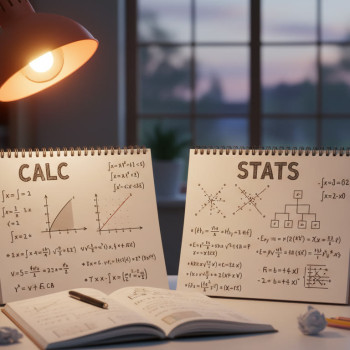
AP Calculus
- Keep: Formula page, common problem types with step-by-step strategies, calculator mode notes.
- Archive: Full sets of worked homework after you extract error patterns.
- Toss: Practice problems you never attempted and never analyzed.
Study systems that reduce re-cluttering
Maintaining organization is easier if you build it into how you study.
- Weekly 20-minute review sessions: quickly add new high-value items to Keep and re-evaluate older items for Archive/Toss.
- One-click digital saves: when you finish a digital practice test, immediately save it under a consistent name and add a one-line error summary.
- Sparkl’s personalized tutoring can help here: an expert tutor can show you which mistakes matter most and help create a tailored study plan that determines what to keep versus toss, saving you hours of fumbling.
- Pair study with a revision calendar: when a topic returns to the calendar, check if your Keep items alone are sufficient — if not, pull from Archive as needed.
Checklist: a one-page triage form you can use now
Print or save this quick checklist and use it during your next declutter session.
- Item name: ________________________
- Category: (Notes / Test / Lab / Project / Other)
- When used last: ____________________
- Helps me score higher? Yes / No
- Contains unique feedback I can’t recreate? Yes / No
- Decision: Keep / Archive / Toss
- Action taken: moved to _______ on _______
Common mistakes students make and how to avoid them
Here are the pitfalls that turn a smart system into a mess — and what to do instead.
- Keeping everything “just in case” — instead, keep a single best version and archive or digitize extras.
- Not reviewing your archive — it becomes digital junk. Schedule occasional deep reviews tied to when you might reuse material (e.g., AP to college transition).
- Letting teacher handouts pile up unchecked — immediately integrate the useful parts into your Keep binder or Archive and toss the rest.
- Relying on undefined file names — be consistent and searchable.
When exam formats change: be adaptive
AP exams and delivery methods evolve. If an exam shifts formats (paper to Bluebook-style digital, for example), update your Keep items to mirror the new format. Keep a short page of exam logistics and tools so you don’t lose points for preventable mistakes on exam day.
Final thoughts: make choices that serve your future
Tossing doesn’t mean forgetting. Archiving doesn’t mean hoarding. The goal is clarity: a Keep set that helps during daily study, an Archive that preserves learning, and the courage to toss what’s not useful. When you build a small, repeatable triage routine into your study life, you’ll find more time for focused practice, better sleep, and a calmer run-up to the exam.

A short action plan for the next 7 days
Use this compact plan to go from chaos to clarity fast.
- Day 1: Gather all materials for one AP course and sort into Keep/Archive/Toss using the checklist.
- Day 2: Create condensed one-page notes for two weakest units; save them to Keep.
- Day 3: Digitize one full practice test and write a one-paragraph error summary; move test to Archive after extracting key items.
- Day 4: Set up cloud folders and rename files consistently for all AP subjects.
- Day 5: Schedule weekly 20-minute tidy checks and one monthly deep review session.
- Day 6–7: Repeat for a second AP course and reflect on the time saved and clarity gained.
Need help making these choices? Smart support matters
Sometimes the hardest part is knowing what counts as “high-utility” for your score and college goals. That’s where targeted help can change everything. Sparkl’s personalized tutoring offers 1-on-1 guidance, tailored study plans, expert tutors, and AI-driven insights that identify which errors cost you the most and what to keep for maximum impact. If you prefer coaching, an outside perspective often reveals which archive items are worth keeping and which are safe to release.
Wrap-up: keep what helps, archive what matters, toss the rest
Organization isn’t about minimalism for its own sake; it’s about creating a study environment that amplifies your effort. Apply this framework and you’ll find your AP prep becomes more focused, efficient, and calm — and that from your neat binder and sorted cloud drive, the toughest problems start to feel solvable. Go pick one course, set a 90-minute timer, and start your first triage. The momentum will follow.
Good luck — and remember: the best study system is the one you actually use. Start simple, stay consistent, and let each Keep item pull its weight.



























No Comments
Leave a comment Cancel