

Capstone Time Management: Parallel Tasking for AP Success
If you’re deep into an AP Capstone project, the weeks can feel oddly elastic: sometimes they’re long enough to finish every task, other times they collapse into a tight knot of to-dos. Parallel tasking — thoughtfully running tasks alongside each other — can rescue you from last-minute scrambles while making your work more creative and intentional. This isn’t about multitasking like scrolling your phone while writing a report; it’s about pairing compatible activities so your time is productive and your brain gets the variety it needs.

Why Parallel Tasking Works for AP Capstone
The AP Capstone program rewards depth, sustained inquiry, and synthesis. Those demands map perfectly to a parallel tasking approach because your capstone has layers: research, analysis, writing, presentation prep, and reflection. Instead of forcing yourself to do each layer in a rigid, sequential order, parallel tasking lets you rotate focus across complementary tasks so progress is constant and momentum builds.
Benefits you’ll actually notice:
- Reduced burnout — switching to a different, but related, cognitive activity refreshes your focus.
- Better creativity — stepping sideways from analysis to synthesis often sparks new insights.
- Continuous progress — something moves forward every work session, so deadlines feel less terrifying.
- Improved quality — iterative revisiting of work reduces sloppy late-stage errors.
Core Principles of Productive Parallel Tasking
To avoid the classic pitfalls of multitasking, center your parallel approach on these principles:
- Complementarity: Pair tasks that use different thinking modes (e.g., reading vs. sketching a slide).
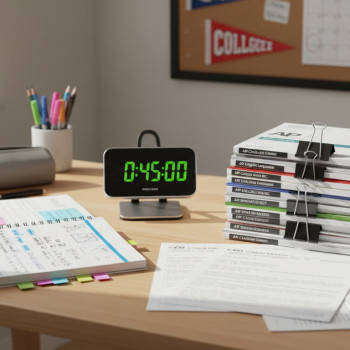
- Timebox: Give each task a fixed, short window (25–50 minutes) so you stay accountable.
- Clear switching cues: Use a specific ritual or timer sound to shift gears cleanly.
- Prioritize impact: Start with tasks that move your project forward in meaningful ways.
- Reflect and adjust: End each day with a quick review of what worked and what stalled.
Designing a Parallel Tasking Schedule for Your Capstone
Not every student has the same rhythm — some hit their stride in early morning, others late at night. The goal is to design a weekly plan that rotates through your major Capstone activities while leaving room for schoolwork and life. Here’s a flexible framework you can adapt.
The Weekly Rotation
Think in blocks: Research, Analysis, Writing, Presentation, and Reflection. Each day pick two adjacent blocks to pair (e.g., Research + Writing or Analysis + Presentation). That pairing creates natural synergy: while research informs writing, analysis refines presentation points.
| Day | Primary Block (45–60 min) | Secondary Block (30–45 min) | Mini Tasks (10–20 min) |
|---|---|---|---|
| Monday | Research (articles, data collection) | Summary Notes (synthesizing key points) | Organize bibliography |
| Tuesday | Analysis (data coding, thematic mapping) | Visuals (charts, annotated screenshots) | Label files |
| Wednesday | Writing (draft a section) | Peer Review Prep (questions, rubric points) | Quick read of peer feedback |
| Thursday | Presentation Design (slides, speaker notes) | Practice (voice memos or 10-minute runthrough) | Adjust timing |
| Friday | Revision (content & citations) | Formatting & Polishing | Backup work |
| Saturday | Deep Work Block (longest focus session) | Creative Break (map ideas visually) | Plan next week |
| Sunday | Reflection & Roadmap | Light Edits | Self-care |
Daily Timeboxing Example
If you’ve got two hours today, here’s a practical split that uses parallel tasking:
- 0:00–0:45 — Focused research or data cleaning
- 0:45–0:50 — Break (stand, drink water)
- 0:50–1:25 — Draft writing applying the new evidence
- 1:25–1:30 — Break
- 1:30–1:55 — Visuals or slide tweaks
- 1:55–2:00 — Quick reflection and update to your task list
Choosing Task Pairs That Boost Productivity
Not all pairings are equal. The most effective ones balance cognitive load and exploit natural transitions. Below are tested combinations and why they work.
Smart Pairings
- Research + Note Synthesis: As you read, immediately translate key concepts into short notes. This prevents passivity and produces usable text for drafts.
- Data Coding + Visual Creation: Code a data set, then turn a small subset into a chart. Seeing your analysis visually often reveals patterns you missed.
- Draft Writing + Micro-Editing: Write a focused chunk, then quickly edit the previous chunk. It keeps both production and quality moving.
- Slide Design + Voice Practice: Design a slide while reading what you’ll say aloud. That alignment ensures slides support, not replace, your narration.
- Peer Feedback Review + Targeted Revision: Read feedback, then immediately act on one or two clear suggestions to keep momentum.
Pairings to Avoid
Don’t pair two high-demand, identical-thinking activities (e.g., reading a dense article while simultaneously performing complex statistical analysis). That combination drains performance. Also avoid pairing anything with passive screen time like social media — it disrupts rhythm and concentrations.
Tools, Routines, and Rituals to Make It Stick
Parallel tasking is a habit. The right tools and rituals reduce friction and protect your attention.
Low-Friction Tools
- Simple timer (Pomodoro app or phone timer) for strict timeboxing.
- Two-tab browser method: one tab for deep research, another for drafting. Keep them physically separate with window positions.
- Digital note tool with easy linking (like a simple notes app) to capture ideas quickly.
- Cloud storage with clear folder naming so you never waste time searching files.
Rituals That Help You Switch Cleanly
- 5-second tidy: before switching tasks, straighten your workspace for 15–20 seconds — this acts as a mental reset.
- Two-breath rule: take two slow deep breaths to close one task and open another.
- Switch cue playlist: a specific short music clip signals a switch (quiet instrumental is best).
Measuring Progress Without Obsessing Over Hours
Time spent isn’t a perfect proxy for progress. You want to measure outputs and quality. Here are simple, objective progress markers you can track each week.
| Metric | What to Track | Why It Matters |
|---|---|---|
| Section Drafts Completed | Number of 300–600 word sections finished | Direct measure of written progress |
| Sources Annotated | Articles or datasets summarized with citation | Tracks research depth and citation readiness |
| Slides Created | Number of presentation slides with speaker notes | Ensures presentation is not rushed at the end |
| Practice Runs | Number of timed rehearsals with recording | Builds confidence and refines timing |
Weekly Dashboard
Keep a one-page dashboard with these four metrics. At the end of each week, color-code each metric: green for on-target, yellow for needs attention, red for behind. Then plan the next week’s parallel pairings to move the red items into yellow or green.
Real-World Examples: Parallel Tasking in Action
Here are two brief case stories that show how students used parallel tasking to accelerate their Capstone work.
Case: Maya — The Research-Writer Combo
Maya paired one hour of focused literature search with a 45-minute synthesis writing session. She discovered that by turning each 45-minute research burst into a single-paragraph summary, she generated content she could slot directly into her draft. Her weekly output doubled while stress fell because she never hit the blank-page paralysis.
Case: Jamal — The Analyst-Presenter Cycle
Jamal alternated 50 minutes of data coding with 30 minutes designing one slide about findings. Seeing each chart in presentation form helped him pick which analyses mattered most and reduced his final presentation scramble from several frantic nights to a calm two-day polish.
How Personalized Tutoring Enhances Parallel Tasking
Parallel tasking is more effective with tailored support. Personalized tutoring can: clarify which task pairings will produce the fastest gains, offer feedback on drafts in progress, and provide accountability that keeps your rotation honest. Sparkl’s personalized tutoring brings 1-on-1 guidance, tailored study plans, expert tutors, and AI-driven insights that can identify weak spots in your plan and suggest immediate, practical adjustments. If a section or data set keeps stumbling you, a targeted session can convert that bottleneck into forward motion.
Use Sparkl to:
- Get a customized weekly task pairing schedule based on your strengths and deadlines.
- Receive targeted micro-feedback on drafts and slides that you can implement during your next timebox.
- Use AI-driven insights to spot recurring errors or gaps in research so you don’t repeat the same fix twice.
Common Roadblocks and How to Solve Them
Even the best plans hit snags. Here are common problems and concrete fixes.
Roadblock: Frequent Interruptions
- Fix: Create a short auto-reply or do-not-disturb window, and communicate your focus blocks to family or housemates.
- Fix: Use two-minute micro-tasks for interruptions: if it will take less than two minutes, do it between timeboxes; otherwise defer it to a mini-task slot.
Roadblock: Decision Paralysis
- Fix: Limit choices. For example, choose one citation style and one slide template for the whole project to reduce decision fatigue.
- Fix: Use a quick pros/cons table for any major choice and give yourself 10 minutes to decide.
Roadblock: Overambitious Schedule
- Fix: Apply Parkinson’s Law — shorten the timebox. Fewer minutes often produce more focused work.
- Fix: Reprioritize with the 80/20 rule: find the 20% of tasks that will produce 80% of your grade impact and parallel those first.
Final Weeks Push: A Parallel Tasking Playbook
As deadlines approach, refine your approach: make earlier timeboxes slightly longer for deep polishing, and schedule daily short rehearsals for the presentation. Here’s a compact playbook you can follow in the final 4 weeks.
- Week 4: Finish all drafts. Pair Writing + Quick Peer Review. Do at least three full timed practice presentations.
- Week 3: Revise heavily based on feedback. Pair Revision + Formatting. Create final slide deck and speaker notes.
- Week 2: Polish visuals and rehearse. Pair Slide Tweaks + Voice Runs. Record one mock presentation and review it critically.
- Week 1: Final proofread and backup. Pair Final Read-aloud + File Organization. Deliver practice to an audience (classmate, tutor, or family).
Checklist for Submission Day
- Confirm all citations and a full bibliography.
- Export slides and save as both your native file and PDF.
- Back up all files in two locations (cloud + USB).
- Have a printed one-page summary for quick reference during your presentation.
Parting Advice: Make Parallel Tasking Yours
No two Capstones are identical and no two students have the same rhythms. Parallel tasking is a flexible tool — a method, not a rulebook. Start simple, iterate weekly, and mark the small wins. When you’re stuck, a short session with a personalized tutor can save hours of trial-and-error. Sparkl’s tailored support can help you map the most effective pairings for your project, giving you the structure and feedback you need without taking away your ownership of the work.
At its best, parallel tasking turns an overwhelming Capstone into a sequence of smart, manageable steps. You still need focus and craft, but this approach helps you keep creativity alive, produce steady outputs, and arrive at your submission confident, prepared, and proud.
Ready to try a parallel tasking week? Pick two adjacent blocks from the weekly rotation, set a timer, and commit to focused work. You’ll likely finish the day with clearer thinking, tangible artifacts, and the satisfying progress that keeps momentum alive.
Good luck — and remember: steady, directed work beats frantic perfection every time.


























No Comments
Leave a comment Cancel