

Why a Command Center? Turning Test Prep Chaos into Calm
Imagine walking into a room and instantly knowing what you’re doing for the next hour of SAT prep. No hunting for notebooks, no tabbing through 50 open tabs, no wondering which practice test to take. A command center does that for you: it reduces friction, sharpens focus, and moves you from busy to productive.
This isn’t about a Pinterest-perfect desk. It’s about a thoughtful, repeatable system that makes deliberate practice the easiest choice. Whether you’re juggling school, sports, or a part-time job, the right setup helps you steal consistent hours and build momentum.
Start with the Basics: Physical Space and Ergonomics
Choose the right spot
Pick a place you can consistently return to. That might be a corner of your bedroom, a quiet table in the living room, or a small desk set up in a less-used hallway. Key things to look for:
- Good natural light or layered lighting you can control.
- Limited foot traffic — you want fewer interruptions.
- Close to a charging outlet and a clock or timer.
Consistency beats perfection. If you only have a kitchen table for a few hours in the evening, make that your command center and defend it during study time.
Ergonomics and comfort
Comfort isn’t a luxury — it’s a productivity hack. A chair that supports your back, a desk at a comfortable height, and a monitor or laptop propped so your neck stays neutral will reduce fatigue. Keep a water bottle, a small snack, and a blue-light filter handy for late-night sessions.
Build the Toolkit: What Lives in Your Command Center
Physical supplies
- Quality notebook(s): one for notes and one for problem logs.
- Graphing paper, pencils (2B or HB), erasers, and a mechanical pencil for math accuracy.
- A stopwatch or timer — timed practice is everything.
- Comfortable headphones for focused study or listening to explanations.
Digital essentials
- A dedicated study folder on your computer or cloud storage with named subfolders (Reading, Writing, Math, Practice Tests).
- One browser profile or one set of tabs reserved for SAT work — no social media in sight.
- PDFs of official practice tests and a small spreadsheet to track scores over time.
Strategic extras
- A whiteboard or large sticky notes for visualizing weekly goals and strategies.
- A problem log jar: toss a slip for every type of error you make and pull one each session.
- An emergency focus kit: gum, a sugar-free mint, and a five-minute breathing exercise script.
Design the Command Center Workflow
Daily ritual: 6 steps to an effective 90-minute session
Most students benefit from 60–90 minute focused sessions. Make a ritual so starting becomes automatic.
- Step 1 — Prep (5 minutes): Set timer, hydrate, review the daily mini-goal from your board.
- Step 2 — Warm-up (10 minutes): Quick grammar drills or 5 practice math problems to get in the zone.
- Step 3 — Deep work (40–60 minutes): Target one skill — passage strategy, data interpretation, or algebra practice.
- Step 4 — Review (10–15 minutes): Log mistakes, note patterns, and write one concrete next-step.
- Step 5 — Short reflection (5 minutes): Award yourself a small win and update your score tracker.
- Step 6 — Cool down: Stretch, put tasks away, and set a micro-goal for the next session.
Weekly structure
Rotate focus areas so nothing atrophies. A simple weekly pattern could be:
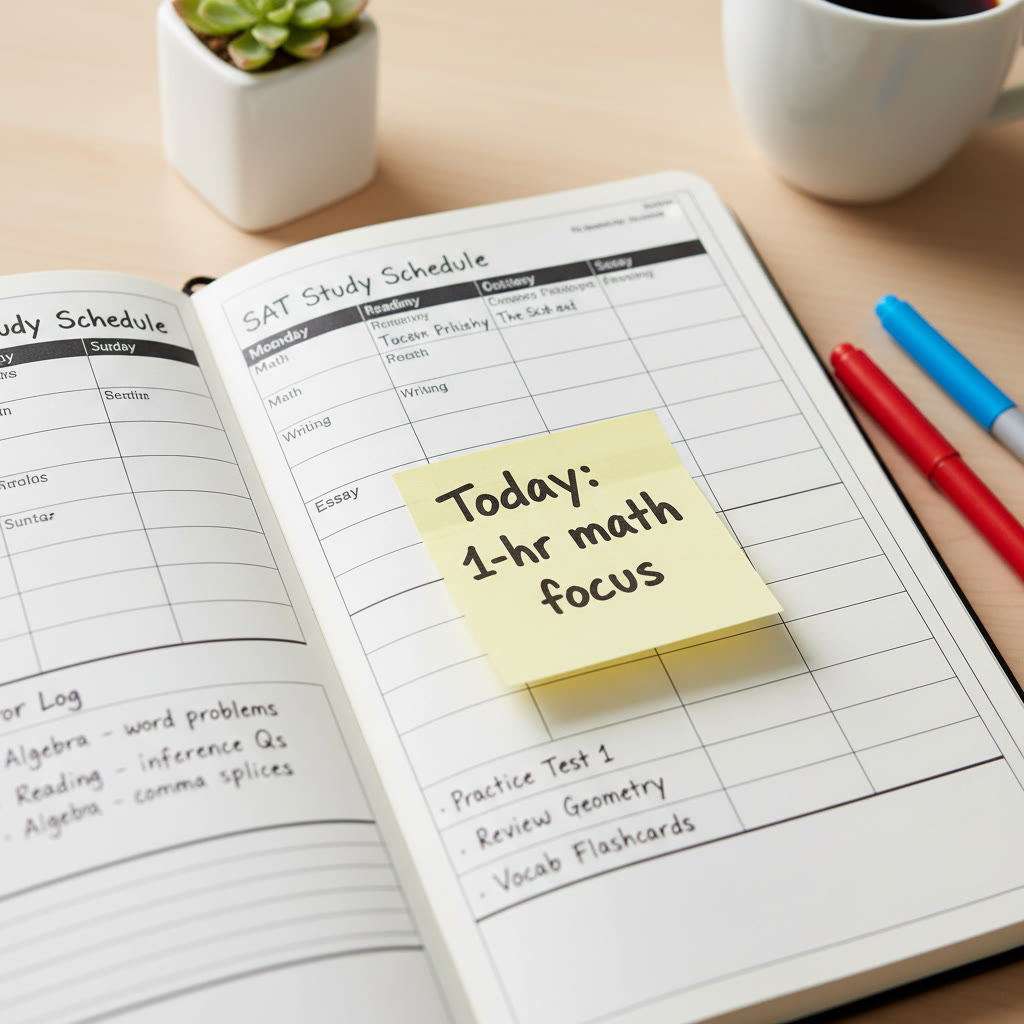
- Monday: Math fundamentals (algebra and problem-solving)
- Tuesday: Reading comprehension strategies
- Wednesday: Writing & Language — grammar and clarity
- Thursday: Targeted practice based on error log
- Friday: Full section timed practice
- Weekend: One full-length official practice test every 1–2 weeks, with a deep review session
Track Progress Like a Coach
What to measure
Numbers are motivating when they tell a story. Don’t just log raw scores; record context.
- Section scores and subscores (Reading, Writing & Language, Math).
- Time management — how much time left per question on average.
- Error categories — careless, content gap, misread question, or timing.
- Practice conditions — timed, untimed, distraction level.
Sample tracking table
| Week | Practice Test Score | Reading | Writing | Math | Big Takeaway |
|---|---|---|---|---|---|
| 1 | 960 | 26 | 24 | 420 | Timing issue in math no-calculator |
| 4 | 1060 | 31 | 27 | 515 | Improved algebra, still need practice with data interpretation |
| 8 | 1180 | 34 | 31 | 615 | Consistent timing; fewer careless errors |
This table is a template you can copy into a spreadsheet. The important part is adding a short insight for each practice test so your weekly plan reacts to real data.
Make Practice Count: Strategies for Each Section
Reading
Reading is as much strategy as stamina. Instead of reading every passage like it’s a novel, train on passage mapping: annotate the main idea, author’s tone, and the function of each paragraph. Practice timing: you have about 13–14 minutes per passage if you want to finish comfortably.
Example exercise: take one passage and time yourself for two rounds — first for comprehension (open-book notes allowed), second for speed (no notes, answer only). Compare which question types you missed and why.
Writing & Language
Grammar rules show up predictably. Build a cheat sheet with the most-tested rules: subject-verb agreement, parallelism, comma usage, and modifier placement. Use short drills to turn rules into reflexes.
Math
Math is procedural and conceptual. Split your math practice into two lanes: fundamentals (algebra, geometry basics) and application (multi-step problem solving and data analysis). For calculator versus no-calculator sections, practice the same concept both ways — some problems need algebraic insight, not just computation.
Practice Tests: When, How Often, and How to Review
Frequency
Do full-length official practice tests every 1–2 weeks once you’re past early prep. When you’re within a month of test day, transition to weekly full tests. The point isn’t just raw scores but to habituate test-day pacing and endurance.
Review protocol
A practice test is only useful if you learn from it. Spend at least 1.5–2 times the test length reviewing mistakes. For each wrong answer, write three things in your error log:
- What went wrong (content vs. care vs. timing)
- How you’ll fix it (rule to study, drill to run)
- When you’ll practice the fix (this week/next week)
Personalize the Command Center: Make It Yours
Targeted study plans
Not everybody needs the same drills. Some students plateau because they try to improve every section at once. Focus on high-leverage weaknesses first. For example, a student stuck at 1100 with weak algebra will gain more points practicing targeted algebra for a month than by doing random mixed sections.
Adaptive tools and human guidance
Adaptive learning platforms and tutors can accelerate the process by focusing your practice on persistent error types. If you have access to Sparkl, its personalized tutoring model — 1-on-1 guidance, tailored study plans, expert tutors, and AI-driven insights — can integrate seamlessly with your command center. A tutor can help prioritize target skills, suggest the best official practice materials, and give immediate feedback during timed work to eliminate blind spots faster.
Study Culture and Mindset
Small habits, big wins
Study is an accumulation of small habits. Celebrate tiny improvements: fewer careless copies, faster setup, or a smoother review session. Your command center should reinforce habits: visible goals on a whiteboard, a tidy notebook, and a consistent start time.
Dealing with burnout
If you’re feeling burned out, cut one session and replace it with something restorative — a walk, a social hour, or a creative hobby. Short breaks actually improve long-term retention. Think of the command center as a sustainable engine, not a punishment device.
Test Day Preparation: Use the Command Center to Simulate Real Conditions
Mock test day
Run a full mock test under test-day conditions: timed sections, standard breaks, no phone, and using the same snacks and clothing you’ll wear on test day. This predictability reduces test anxiety by making the experience familiar.
Checklist for the night before
- Print or prepare admission ticket if required and ID in your command center folder.
- Lay out clothing and pack pencils, eraser, calculator, and snacks.
- Prepare a small list of calming rituals — breathing exercises or a five-minute walk.
Examples and Real-World Context
Case study: Maya’s turnaround
Maya started with a 1040 baseline. Her command center was a small desk with a whiteboard, error log, and a calendar. She used a 60/30 rule: 60 minutes focused study, 30 minutes review and planning. With targeted algebra drills and two weekly sessions with a Sparkl tutor who provided 1-on-1 guidance and AI-backed progress checks, she moved to 1260 in eight weeks. The difference? Regularity and targeted feedback.
Why employers and colleges value this habit
Building a command center teaches project management, time prioritization, and self-directed learning — skills colleges and future employers notice. The study habits you form now become frameworks for future work: plan, practice, measure, and iterate.

Common Pitfalls and How to Avoid Them
Trap 1: Too many resources
Quality beats quantity. Stick to a few trusted sources — official College Board practice tests, a reliable prep book, and targeted digital drills. Too many conflicting strategies slow progress.
Trap 2: Skipping review
Doing practice without thorough review is like running without checking form. Your command center should make review non-negotiable: schedule it right after practice and log every mistake.
Trap 3: Neglecting timing practice
Content knowledge without pacing is fragile. Practice sections under timed conditions regularly, and include mini-timed sprints to build speed under pressure.
Bringing It All Together: Your 8-Week Sprint Plan
This plan assumes a 3-hour test and 8 weeks of preparation. Adjust intensity based on your starting point.
- Weeks 1–2: Diagnostic test, build command center, create error log, focus on fundamentals (algebra, grammar rules, passage strategies).
- Weeks 3–4: Target the largest weakness; add weekly full section timed practices and one Sparkl personalized tutoring session to refine techniques.
- Weeks 5–6: Increase timed full sections, review error patterns, and work on stamina (mock test every 10 days).
- Weeks 7–8: Weekly full-length tests under strict conditions, light content review, and focused work on recurring error types. Taper intensity in the last 48 hours.
Final Thoughts: Make the Command Center Work for You
A command center is a living system. It should feel like an ally — not a prison. Track what helps, ditch what doesn’t, and adapt as your strengths evolve. If you can build a space that reduces startup friction, enforces review, and funnels accurate feedback into targeted practice, you’ll be surprised how quickly scores follow.
And remember: human guidance scales your efforts. If you want personalized pacing, targeted explanations, and AI-driven insights to prioritize your weekly plan, Sparkl’s personalized tutoring can plug into your command center and speed up progress with 1-on-1 guidance and tailored study plans. Use the command center to execute, and let expert coaching help you decide what to execute.
Your Next Action (Right Now)
Pick one corner, gather three essential items (notebook, timer, practice test), and commit to one 60-minute session this week. After that session, update your error log and commit to one small change: add a weekly mock test, schedule a Sparkl tutoring session, or tidy your desk. Small actions compound into big score improvements.
Good luck — you’re building more than a study area. You’re building a habit, and that habit is your ticket to a better SAT performance and the confidence to match it.
























No Comments
Leave a comment Cancel