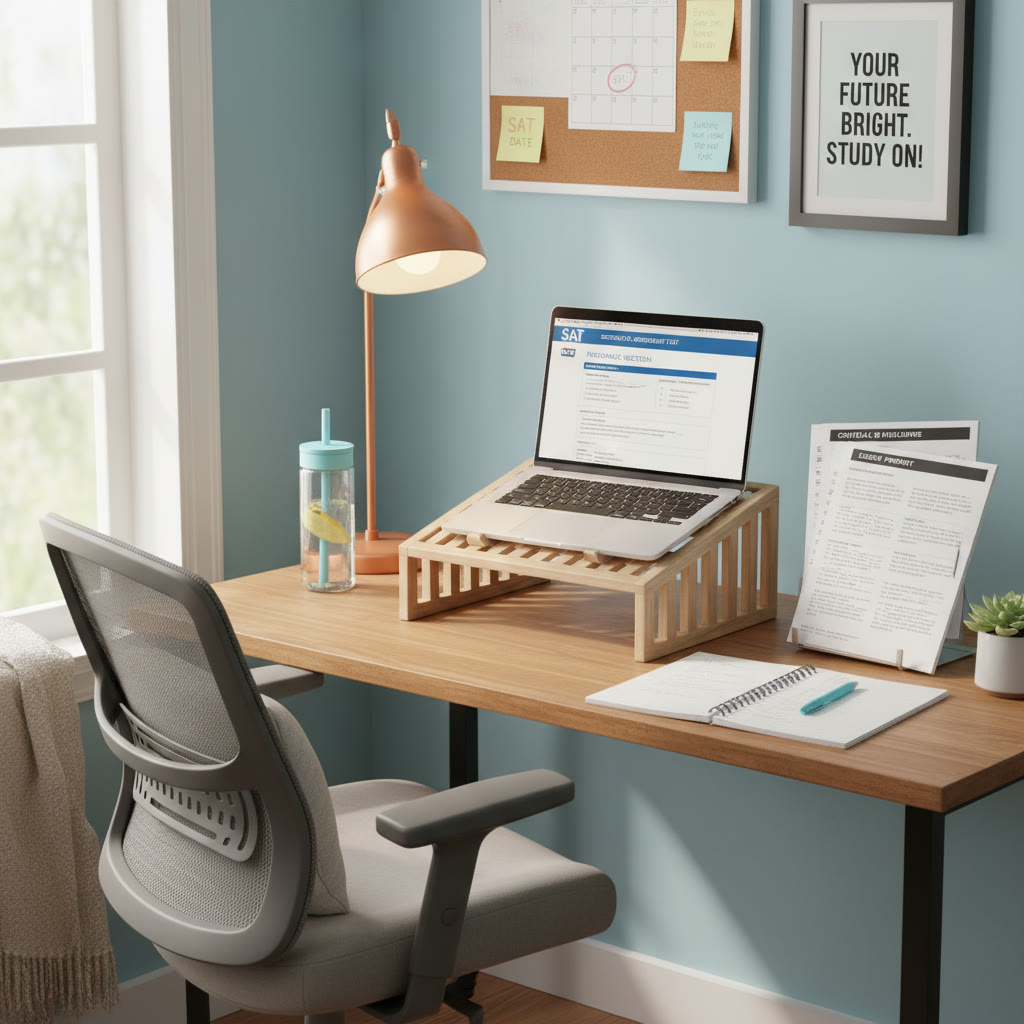

Why eye strain matters when you’re preparing for the SAT
When you’re grinding through practice tests, reading dense passages, and drilling math problems, the last thing you want is tired, dry, or blurry eyes. Eye strain isn’t just uncomfortable — it chips away at focus, slows reading speed, and can make hours of study feel less productive. If you’ve ever finished a long study session and felt a dull ache behind your eyes or noticed headaches, you weren’t imagining it. It’s real, and it’s fixable.
A quick reality check
Think about how you study. Do you stare at a laptop screen for three hours? Read PDFs on your phone while lying on the bed? Flip between physical practice books and online problem sets? All of these common habits can contribute to digital eye strain (also called computer vision syndrome) or tired eyes from prolonged near work. The good news: small, consistent changes give you big returns in comfort, productivity, and even sleep — which matters a lot when you’re aiming for a peak SAT performance.
What actually causes eye strain?
Understanding the causes helps you take targeted action. Eye strain during study sessions generally comes from a mix of factors:
- Prolonged close focus on screens or books — your eye muscles work hard to maintain a near focus.
- Reduced blinking when using screens — that leads to dry, irritated eyes.
- Poor lighting or harsh contrast — glare and big differences between screen and room brightness are fatiguing.
- Incorrect screen position or posture — too close, too high, or too low forces awkward neck and eye angles.
- Blue light at night — it can subtly disrupt your circadian rhythm and interfere with sleep after late-night studying.
Simple routines that fight eye strain (and help your SAT study quality)
Here are practical, student-tested habits that reduce eye strain without slowing you down. Think of them as study hygiene — just like sharpening pencils and preparing snacks, these habits make study time feel better and work better.
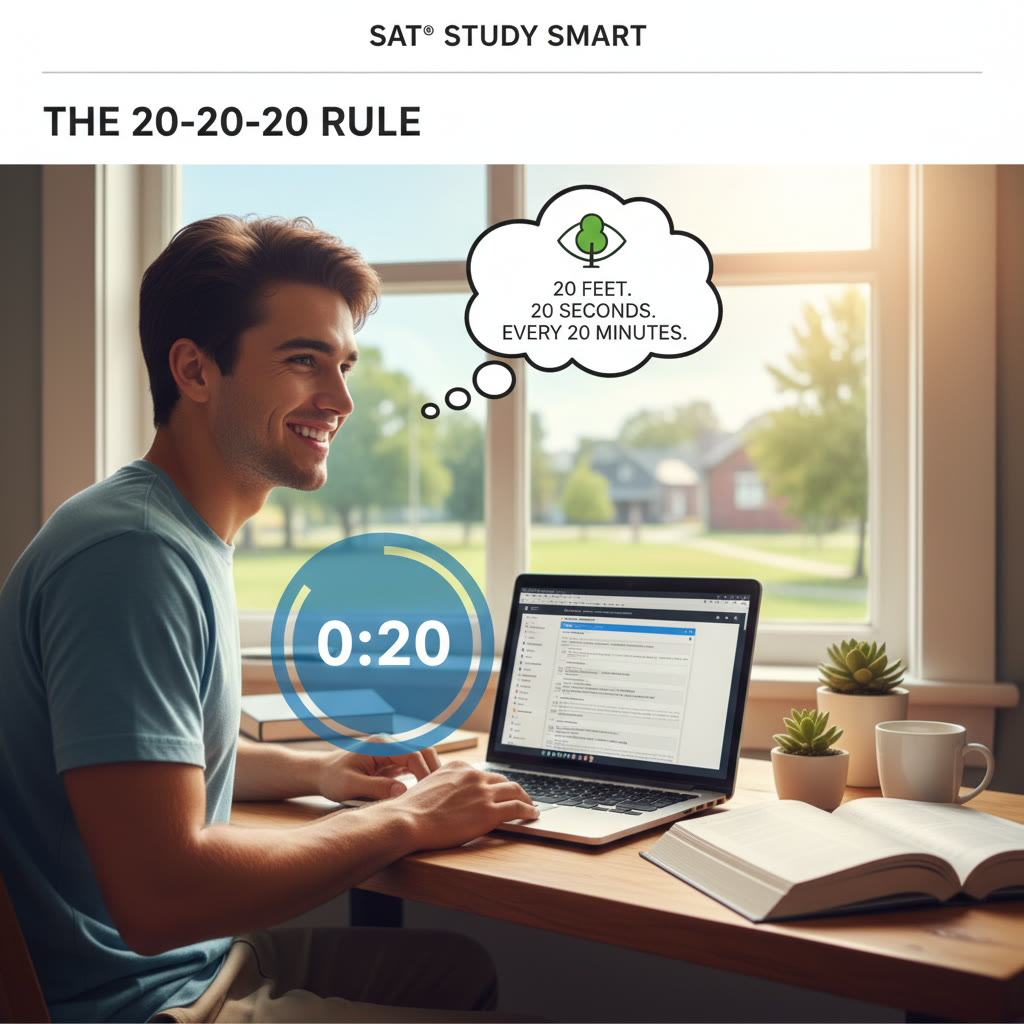
1. Use the 20-20-20 rule
Every 20 minutes, take 20 seconds to look at something 20 feet away. It sounds trivial, but it’s a powerful reset for your focusing muscles. Set a soft timer on your phone or laptop, or tie it to natural breaks: after finishing a paragraph, after a math problem set, or between questions. Those 20 seconds loosen up near focus and reduce fatigue.
2. Blink more — intentionally
When people read or look at screens, blink rate can drop by half. Less blinking dries out the tear film that keeps eyes comfortable. Make a conscious blinking habit during intense sessions — a few deliberate, slow blinks every 30–60 seconds helps. You can also use preservative-free artificial tears if dryness is persistent, but check with an eye care professional first.
3. Optimize your screen and lighting
Matching your screen brightness to room lighting reduces glare. If the room is dim, lower the screen brightness; in bright rooms, raise it. Avoid direct overhead lights or light behind the screen that create glare. Instead, use soft ambient lighting or a desk lamp with an adjustable arm that doesn’t shine into your eyes or onto the screen.
4. Check your screen position and posture
Ideal laptop or monitor positioning:
- Place the top of the screen at or slightly below eye level.
- Keep the screen about an arm’s length away (roughly 20–28 inches for most people).
- Slightly tilt the screen back 10–20 degrees to reduce reflections.
- Sit with shoulders relaxed, feet flat on the floor, and back supported.
When you maintain good posture, you reduce neck strain and keep the eyes at a natural angle — less work for your ocular muscles.
5. Adopt timed study blocks with meaningful breaks
Studying with pure endurance isn’t efficient. Short, focused blocks with consistent breaks keep both your brain and eyes fresh. Below is a sample approach and a table showing options depending on your schedule and endurance.
| Study Method | Session Length | Breaks | Ideal For |
|---|---|---|---|
| Pomodoro | 25 minutes | 5-minute break; 15–30-minute break after 4 cycles | High focus on reading passages or problem drills |
| 50/10 | 50 minutes | 10-minute break | Longer concentration stretches like full practice sections |
| 90/20 | 90 minutes | 20-minute break | When you need deep work sessions but also significant rest |
During every break, step away from your screen — walk to the window, stretch, or do the 20-20-20 rule. Moving your body and looking into the distance restores eye comfort and reduces mental fatigue.
Details that make a real difference
Small adjustments compound. Here are evidence-backed specifics you can change today.
Blue light and evening study
Blue light from screens is not the villain it’s sometimes made out to be, but it does influence melatonin — the hormone that signals sleep. For late-night study sessions, dim the blue light with a night mode or use screen warmers and reduce overall brightness. That can help your brain wind down faster after studying, which is especially important if you’re doing SAT prep late in the evening.
Font size, contrast, and reading modes
Increase font size to reduce squinting and speed reading. High contrast between text and background reduces effort: black on off-white is often more comfortable than stark white on bright white. Most PDF readers and e-book apps offer a ‘sepia’ or ‘night’ mode — experiment to see which is gentlest on your eyes.
When to use paper vs. screen
Certain activities are less fatiguing on paper. Try printing dense reading passages for intensive reading practice, or use paper for scratch work in math. Conversely, use screens for interactive practice, timed tests, and digital tools that deliver instant feedback. Mixing formats reduces continuous near-screen exposure and keeps study sessions varied.
Contact lenses, glasses, and blue-light filters
If you wear contacts, be mindful of dryness and remove them for long evening study sessions if they become uncomfortable. Blue-light-blocking coatings on glasses have mixed evidence, but many students report subjective comfort. If you’re unsure about whether you need a prescription update, book an eye exam — clear vision is foundational for efficient studying.
Eye exercises and posture micro-habits
Eye exercises won’t change your vision prescription, but they help relieve fatigue and reset focus.
- Focus change: Hold a pen at arm’s length, focus on it, slowly bring it toward your nose for 10 seconds then look at something far away for 10 seconds. Repeat 5–10 times.
- Figure-eight: Trace an imaginary large figure-eight with your eyes for 30 seconds in one direction, then 30 seconds the other way.
- Palming: Rub your hands together to warm them, close your eyes, and gently cup your palms over your eyes (no pressure) for 30 seconds to a minute.
Micro-posture checks
Every hour, do a 60-second posture check: shoulders relaxed, chin level, lower back supported. Keep a small sticky note on your monitor that says “Check posture” until it becomes a habit.
Scheduling eye-friendly study weeks
Beyond single sessions, think about how you distribute intense practice across a week. Cramming marathon sessions can lead to cumulative eye fatigue, so plan variety: alternate high-screen tasks with low-screen activities like handwritten review or physical flashcards.
| Day | Morning | Afternoon | Evening |
|---|---|---|---|
| Monday | Timed Reading section (digital) | Handwritten problem review | Light review; screen off an hour before bed |
| Wednesday | Short practice set (paper) | Online practice test segment | Review notes, practice vocabulary on flashcards |
| Friday | Strategy session with tutor | Full-length digital practice (timed) | Relax, gentle review; prioritize sleep |
This balance keeps your eyes from overworking on the same medium day after day. It also aligns with how real test prep should feel: varied, deliberate, and recovery-oriented.
Smart tools and environment tweaks
You don’t need expensive gear to reduce eye strain. Thoughtful choices in setup and software add up.
Examples
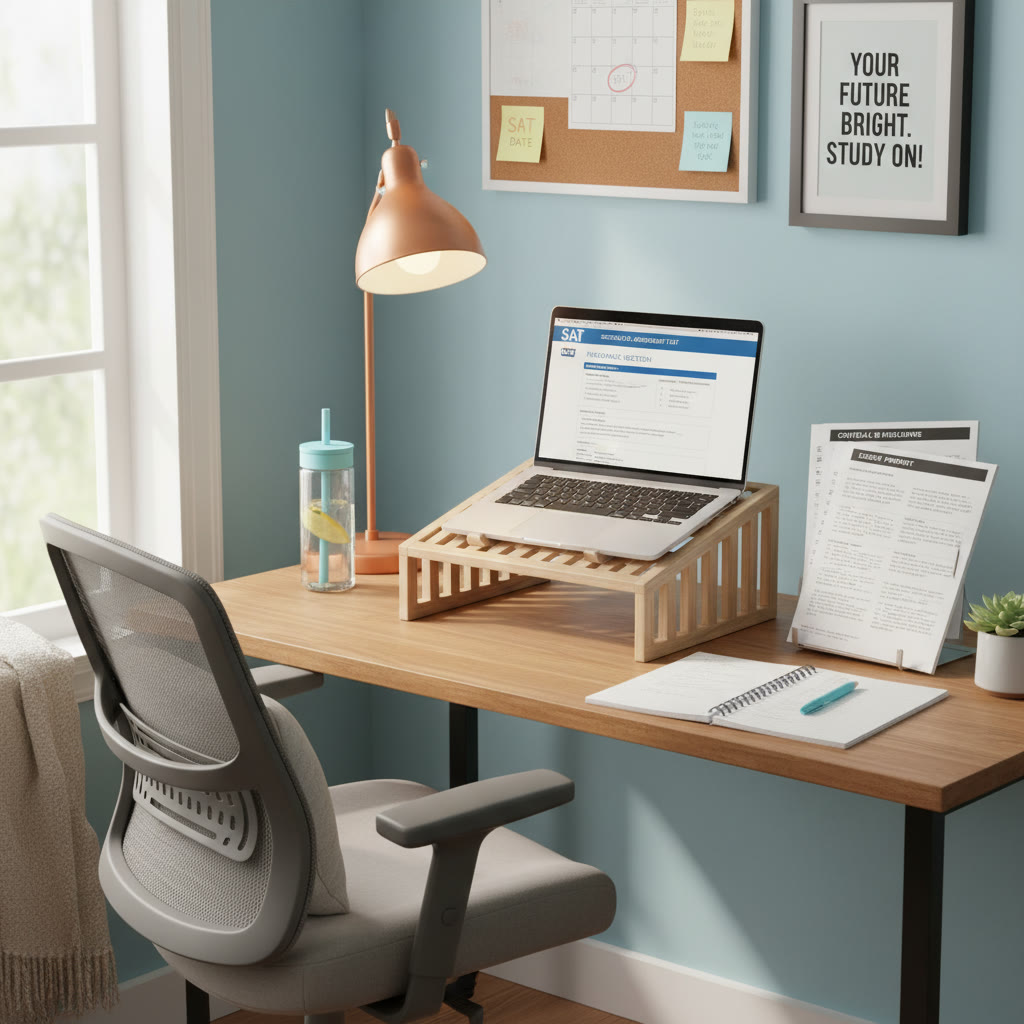
- Use a laptop stand or external monitor to achieve the ideal eye level.
- Choose an adjustable desk lamp with a warm bulb rather than harsh fluorescents.
- Enable “night mode” on devices for evening study and reduce blue light gradually over time.
- Use productivity apps that remind you to take breaks rather than strict screen timers that make breaks feel punitive.
When to seek professional help
If eye discomfort persists despite changes — frequent headaches, persistent blurriness, double vision, or eye pain — schedule an appointment with an eye care professional. Some conditions need prescription updates, dry-eye treatments, or other interventions. Don’t ignore symptoms that interfere with daily function or test performance.
How study support like tutoring fits into healthy habits
Tutoring isn’t just about teaching content — it can also help shape healthier study patterns. A good tutor can:
- Build a tailored study plan that spaces screen-heavy practice with low-screen activities.
- Introduce targeted practice so you don’t waste time on inefficient methods that increase study hours and eye exposure.
- Offer one-on-one guidance to adjust strategies in real time when fatigue shows up.
For example, Sparkl’s personalized tutoring blends expert human tutors with AI-driven insights to recognize where you’re spending most of your time and where strain might be creeping in. Tutors can help convert long digital practice into a balanced routine of short focused blocks, printable work, and recovery periods so you improve faster with less burnout.
Study session blueprint: an eye-friendly two-hour block
Here’s a realistic, actionable two-hour study plan you can use before or after school. It mixes focused work with breaks and low-screen options.
- 0:00–0:25 — Warm-up reading or math drill (screen). Use the 20-20-20 rule at least once.
- 0:25–0:30 — 5-minute break: stand, blink intentionally, look out a window.
- 0:30–0:55 — Deep practice on a specific weak area (paper or printable problem set).
- 0:55–1:05 — 10-minute break: short walk, hydration, light stretching.
- 1:05–1:30 — Timed section practice (screen) with screen brightness adjusted to the room.
- 1:30–1:40 — 10-minute break: palming or eye exercises; avoid screens.
- 1:40–2:00 — Reflection and written notes on mistakes (paper), schedule next session.
Consistency matters. Repeat this blueprint a few times a week and adapt it as you learn how long you can focus comfortably.
Sleep, hydration, and nutrition: the underrated trio
Eye comfort ties into whole-body health. Dehydration increases eye dryness; caffeine late in the day can make your eyes feel jittery; and poor sleep worsens overall fatigue, including ocular strain. Aim for regular hydration, balanced meals, and consistent sleep. If you do a late evening study, wind down with low-light, low-screen activities before bed to let your visual system relax.
Final tips to keep your eyes — and SAT scores — sharp
- Rotate study mediums: digital, paper, audio explanations, and physical flashcards.
- Build eye health into your study plan, not as an afterthought.
- Practice with realistic timing so your eyes adapt to test-like conditions gradually rather than all at once.
- Consider periodic tutoring sessions for strategy and schedule adjustments; Sparkl’s personalized tutoring can help you structure study blocks, offer one-on-one guidance, and use AI-driven insights to prevent inefficient, eye-straining habits.
- Make breaks purposeful: hydrate, move, and use the 20-20-20 rule rather than scrolling social media.
Parting thought
Studying for the SAT is a marathon of both brain and body. Your eyes are the interface between your hard work and the page (digital or paper), so treat them as an essential teammate. With small changes — regular breaks, better lighting, simple exercises, and smart scheduling — you can protect your eyesight, improve the quality of study, and arrive at test day feeling alert and focused.















No Comments
Leave a comment Cancel