

Why blocking distracting apps matters for your Digital SAT prep
We’ve all been there: you sit down to review a math section, vow to focus for an hour, and then—30 minutes later—you’re two feeds deep and wondering where the time went. Preparing for the Digital SAT means practicing not only content and timing but also focus. The exam’s digital format rewards steady concentration and efficient device use, so the habits you form while studying matter.
Blocking distracting apps isn’t punishment; it’s a skill. Like learning to factor a quadratic or annotate a passage, protecting your attention takes practice. The payoff is massive: deeper learning, faster progress, and more confidence on test day. In this post we’ll move beyond the generic “turn off notifications” advice and give you a toolbox of strategies, tech setups, and study rituals you can actually stick with.
Start with a plan: decide what “blocked” looks like for you
Before you install an app or change settings, take two minutes to outline what you want to protect. Are you trying to study for a full 90-minute practice test? Focus for three 25-minute Pomodoro cycles? Or simply avoid doomscrolling during a 30-minute concept review?
Make your plan concrete:
- Choose session lengths (e.g., 25/50/90 minutes).
- List the apps that are genuine distractions for you (social, video, games, messaging).
- Decide exceptions — who can reach you in an emergency, or whether you want study-time access to a music app or calculator.
Having a clear boundary makes the next steps—technology and habit changes—feel purposeful rather than punitive.
Practical tech setups to block apps
There are lots of ways to limit distractions. Choose one that fits your device, attention style, and study goals. Below are practical methods that students commonly use, organized from simple to more rigorous.
1. Use built‑in focus modes (fast, free, reliable)
Most phones and tablets have built-in focus or downtime modes that let you silence notifications, hide app icons, or restrict app usage to specified times. These are great because they’re integrated into the device and hard to accidentally bypass during a session.
- Set a Study focus that activates automatically during your planned study blocks.
- Whitelist essential apps (calculator, Bluebook testing app, or a specific note app).
- Schedule exceptions for calls from family if needed.
2. App blockers and website blockers (flexible and feature-rich)
Third-party blockers let you create stricter windows and—critically—lock settings with passwords so you can’t casually change them mid-session. Many have Pomodoro-style timers, weekly reports, and the ability to block entire categories.
- Set recurring study schedules so your device becomes a focus-friendly zone automatically.
- Use a temporary full‑lock for particularly vulnerable times (simulated “deep work”).
3. Create a separate, distraction-free study device
If your main device is the problem, consider using a laptop or tablet dedicated to studying, with only the apps and files you need. For Digital SAT practice, that might mean installing the Bluebook app or official practice materials and removing social apps from that device entirely.
4. Router-level and DNS blocking (for serious commitment)
If Wi‑Fi is the main conduit for distraction, you can block specific sites or services at the router level or use a DNS filter to restrict access during study windows. This is a heavier lift, but it’s effective for households where multiple devices are affected and where you want a parent or guardian to help enforce study hours.
5. Use accountability features and announce your plan
Many tools offer an accountability or “lockout” mode where a friend or tutor can hold the code to re-enable apps. Announcing your plan to someone (a family member, friend, or your Sparkl tutor) makes you more likely to stick with it.
Pair tech with human habits: routines that preserve focus
Technology can help, but long-term change comes from pairing tech with habits. These routines will make it easier to start a study session and stay in the zone.
Set an intention for every session
Start each block by writing a sentence: “In the next 50 minutes I will complete 20 math practice problems focusing on geometry theorems.” A specific goal channels your energy and gives you a yardstick for success.
Warm up and cool down
Spend 3–5 minutes warming up with a quick review or flashcards, and end each session with a one-paragraph reflection: what you learned, what tripped you up, and a concrete next step. This helps knowledge stick and makes the next session easier to start.
Use short, frequent breaks rather than long, aimless ones
The Pomodoro method is popular for a reason: focused work slices paired with short breaks preserve attention without burning you out. During breaks, do things that replenish attention—stand up, stretch, or step outside for fresh air. Avoid opening social apps during breaks unless you set a strict timer for them.
Design a physical study environment
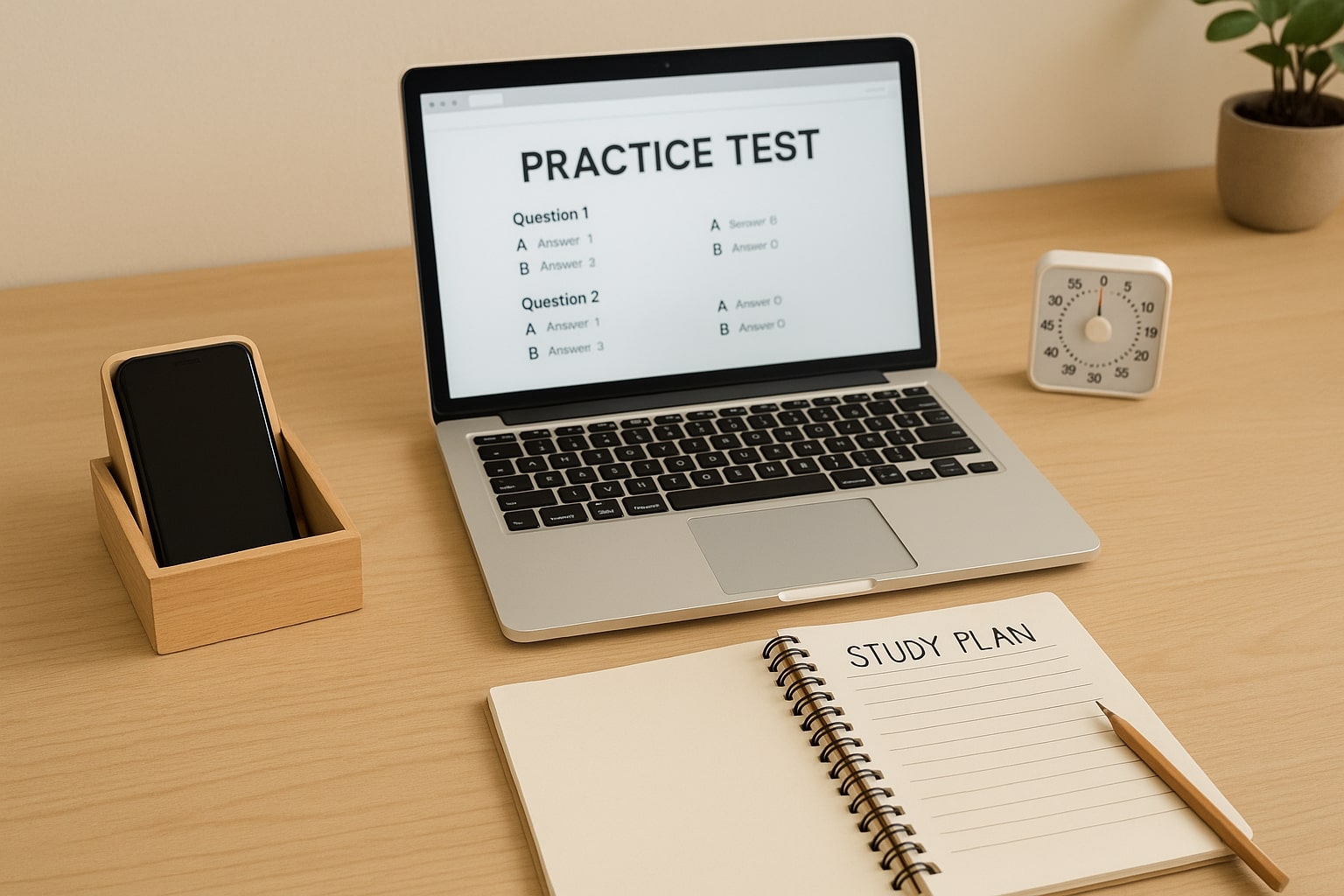
Put your phone in another room, face down in a drawer, or in a simple kitchen timer box. A small physical barrier reduces the impulse to reach for it. If you take the Digital SAT on a laptop or tablet, practice on the Bluebook app or the device you’ll use on test day so your environment on practice days matches the real thing.
Accountability and measuring results
Blocking apps is most effective when you track whether it helps. Try these low-friction ways to measure progress:
- Keep a study log: date, duration, focus rating (1–5), and outcomes.
- Use your app-blocker’s weekly report to see how many minutes you avoided distractions.
- Run a timed practice test (Bluebook or official practice) at the end of a week to compare scores and pacing before and after implementing blocks.
Sample weekly study plan with app blocks
Here’s a model you can copy. Tweak it to match your schedule and stamina.
| Day | Session 1 | Session 2 | Block setting |
|---|---|---|---|
| Monday | 50 min: Math practice (problem set) | 25 min: Flashcards review | Study Focus mode: Social apps blocked |
| Tuesday | 90 min: Full-section reading practice (Bluebook) | — | Full lockout during 90 min |
| Wednesday | 2 x 25 min: Grammar drills | 25 min: Review errors | App blocker active; music allowed |
| Thursday | 50 min: Math concept review + practice | 25 min: Vocabulary | Study Focus mode |
| Friday | 90 min: Practice test (timed) | Reflection & plan | Full lockout; phone in another room |
Dealing with FOMO, anxiety, and the urge to peek
Blocking apps can feel socially risky—what if you miss a post or a group chat? That feeling is normal. Think of it like training for the test: temporarily tuning out the world so you can be sharper when it matters most. Here’s how to handle the mental friction:
- Tell your close friends and family that you’ll be unavailable during study windows—most people appreciate the heads-up and respect it.
- Set a fixed daily check-in time for messages so you feel secure that you’re not missing out.
- Use the “emergency contact” exception so a call from a parent or guardian still gets through.
When tech fails: fallback plans
Stuff happens—your app blocker may have a glitch, or you might be tempted to shut it off. Build simple fallback rules into your plan:
- If you disable a blocker mid-session, restart the session from zero and subtract the time lost from your weekly screen-free total.
- Use a physical timer if software misbehaves. A kitchen timer or a low-tech alarm keeps the rhythm without screen temptations.
- Give yourself a short “reset” ritual after slipping up—no harsh self-criticism, just a quick note on what led to the slip and one small change to try next time.
How tutors and personalized support make app blocking easier
Blocking apps is easier when you don’t do it alone. Personalized tutors can help by holding you accountable, tailoring study plans, and transforming your minutes into measurable progress. For example, Sparkl’s personalized tutoring can pair 1-on-1 guidance with tailored study schedules and AI-driven insights that identify where to spend your time. Knowing you’ll review a specific set of problems with a tutor makes it easier to commit to undistracted study blocks.
If you choose tutoring, ask for sessions that complement your blocked study windows: a tutor can set clear pre-session goals, review your error patterns, and assign specific practice that benefits most from an uninterrupted focus session.
Real-world examples: students who reclaimed their focus
Case study snapshots are useful because they show the small, practical choices that made a big difference.
- Student A: Swapped evening social scrolling for a 60-minute study window before dinner. Used a full lock on social media for 7 days. Result: a calmer mind, more content retained, and a 30-minute net time savings each evening.
- Student B: Kept phone in a sibling’s room during Saturday practice tests and used a laptop with only Bluebook installed. Result: fewer interruptions and a more test-like practice environment.
- Student C: Paired a Sparkl tutor for weekly accountability and set study focus mode to sync with tutoring sessions. Result: consistent progress on weak topics and fewer last-minute cramming nights.
How to customize your approach for different study tasks
Not all study work is the same. Tailor your blocking strategy to the task:
- For timed practice tests: go as strict as possible—full lockout, phone in another room, and a quiet space to mimic test conditions.
- For problem sets or learning new concepts: allow a single reference app (notes or videos) but block social and entertainment apps.
- For light review (flashcards or reading): use short bursts (15–25 minutes) with a more flexible block and an intentional, brief social check-in after each session if that helps motivation.
Top tips to make blocks stick long-term
Small rituals make big changes last. Try a few of these to lock in the gains:
- Create a pre-study ritual (fill a water bottle, set a timer, open your notes) so your brain recognizes the cue to focus.
- Reward consistency rather than perfection—celebrate a solid week of focused study even if you slipped once.
- Rotate tasks to avoid monotony. Mixing reading, problem solving, and timed practice keeps your brain engaged and reduces the urge to escape into apps.
- Review and adjust every two weeks: if something isn’t working, change it. Study plans should evolve with your progress.
Checklist: set up your distraction-free study session in 5 minutes
Use this checklist to get started quickly. Save it as a note on your device or print it out.
- Decide session length and goal.
- Activate Study Focus or app blocker for the session window.
- Place phone out of reach or in a locked drawer.
- Open only the apps needed for the task (Bluebook, notes, calculator).
- Set a visible timer and start with a clear intention sentence.
- Take short, mindful breaks and record one takeaway at the end.

Common pitfalls and how to avoid them
Even with the best plans, things can go sideways. Here are common traps students run into and quick fixes:
- Trap: You forget why you blocked apps. Fix: Keep a short list of test goals visible—remembering the purpose makes discipline easier.
- Trap: You feel isolated or anxious when you’re offline. Fix: Schedule short social check-ins and practice together with a friend or tutor to share progress.
- Trap: You disable locks when stressed. Fix: Add accountability—ask a parent or tutor to hold the re-enable code for a portion of your study week.
Final thoughts: make focus part of your SAT strategy
Studying for the Digital SAT is more than mastering formulas and grammar rules; it’s about learning how to use your time and attention wisely. Blocking distracting apps is a practical, compassionate way to give your brain the conditions it needs to learn deeply. Start with small changes, measure the payoff, and iterate. Over weeks, those uninterrupted minutes add up to real score improvements and a less stressed you.
If you want extra structure, consider pairing focused study blocks with personalized support—Sparkl’s 1-on-1 tutoring, tailored study plans, and AI-driven insights can help you turn disciplined study time into measurable gains. The tech is powerful, but your consistency is the multiplier.
Quiet focus doesn’t mean boring. It means being strategic: choosing when to tune out the noise so you can show up brighter on test day. Try one new blocking strategy this week. Track what changes. And remember: progress, not perfection, will get you across the finish line.




















No Comments
Leave a comment Cancel