

AP vs SAT: Why the Conversation About AI Matters
We live in an era where a smart phone in your pocket can give you an instant hint, where AI can help rewrite a paragraph or debug a line of code, and where digital tools can transform study habits overnight. For students and parents preparing for College Board assessments especially AP exams and the Digital SAT this is both exciting and a little unnerving. Tools that accelerate learning can also create gray areas around fairness, authorship, and test integrity.

Quick overview: AP and Digital SAT similar goals, different rules
Both AP exams and the Digital SAT are designed to measure academic skills and achievement. They serve different purposes AP exams assess mastery of college-level course content and can earn college credit; the SAT is a standardized college admissions test that gauges reading, writing, and math readiness. But the line that matters most when talking about AI and digital tools is this:
- AP courses and performance tasks often include sustained projects, writing assignments, and performance tasks where students produce original work over time. Policies focus on authorship, checkpoints, and academic integrity.
- The Digital SAT is a timed standardized exam delivered on devices with strict security rules; prohibited aids and behavior on test day are tightly controlled to protect fairness.
Understanding these differences is the first step to using AI ethically and effectively.
What ‘ethical use’ of AI actually means for students
Ethical use isn t a vague moral lecture it s practical. It means using AI tools to support your thinking, not to replace it. In a school context that can include:
- Using AI to brainstorm topic ideas, then doing the research yourself.
- Running a draft through a grammar or tone checker to learn editing moves but not asking AI to rewrite your assignment into a finished product.
- Using code-generation tools to learn debugging techniques, while ensuring you can explain every line you submit in an AP programming task.
Unethical use is anything that substitutes another system s output for your original work: submitting AI-generated writing for performance tasks, pasting model answers into an exam, or using unauthorized devices during the Digital SAT.
AP-specific rules and common scenarios
AP courses especially those with long-term performance tasks like AP Seminar, AP Research, or certain portfolio-based classes have built-in checkpoints. Teachers and the administering body expect students to demonstrate progress and authenticity through drafts, teacher attestations, and version histories. Here are typical rules and what they look like in practice.
Permitted (but limited) uses
- Exploratory research: asking an AI to suggest readings or frame a research question.
- Clarification: asking for simplified explanations of complex theories so you can better understand source material.
- Proofreading: checking grammar or tone while keeping the original meaning and structure.
Not permitted
- Having AI produce the majority of an essay or performance task and submitting it as your own work.
- Using AI-generated code without fully understanding and being able to explain it in coding-focused AP tasks.
- Presenting images or art created entirely by AI in courses where original creative process is required.
Consequences you should know
When a submitted AP performance task or exam component is found to include inappropriate AI use, consequences can range from receiving a zero on that component to cancellation of the entire exam or other disciplinary actions. The appeals process often asks for documentation such as draft histories, teacher attestations, or notes showing how the work evolved. In short: keep versions, keep notes, and be transparent.
Digital SAT: testing day security and prohibited practices
The Digital SAT is administered in a secure environment with strict rules about electronic devices and prohibited aids. The stakes are different: it s a single-session, timed exam where any unauthorized access to outside help or AI constitutes a serious breach of test security.
What’s allowed before test day
- Practice with digital tools that mirror the test environment (e.g., practice software provided by your school or official practice tests).
- Studying using apps and AI tutors to build skills so long as those tools are used for learning rather than seeking to game or memorize specific test content.
On test day strict no-go list
- Using unauthorized devices or phones in the testing room.
- Using any tool that could capture or transmit exam content during the exam (screenshots, photos, live chat, AI summaries, etc.).
- Sharing or receiving exam content during or after the test even on social media which can lead to score cancellation and bans.
Common pitfalls students actually fall into (and how to avoid them)
It s easy to slip up. Often it s not deliberate cheating, but confusion about where help ends and substitution begins. Here are everyday scenarios and practical guidance.
Pitfall: Treating AI like a co-author
Why it happens: AI can spin a polished paragraph quickly. It feels like collaboration. But when that paragraph becomes your submitted work, authorship is compromised.
How to avoid it: Use AI to generate outlines or ask for multiple ways to phrase a concept, then write your own paragraph in your voice. Keep drafts and notes showing your development process.
Pitfall: Over-relying on AI for code in CS AP courses
Why it happens: Auto-generated code is tempting, especially when debugging is hard.
How to avoid it: If you use an AI to debug or suggest code snippets, comment your code thoroughly explaining how it works and why each part exists. Practice explaining the logic out loud to a teacher or in a mock oral checkpoint.
Pitfall: Saving time by using AI to paraphrase sources
Why it happens: Paraphrasing tools look like quick ways to avoid plagiarism.
How to avoid it: Paraphrase by hand after reading source material and cite everything. Maintain a bibliography and annotate why each source is relevant to your argument.
Practical checklist for ethical AI use student edition
- Before you use a tool, ask: will this change the original work I’m expected to produce?
- Keep version histories and dated notes for any long-term project.
- Document teacher checkpoints and feedback; keep copies of drafts you discussed in class.
- When in doubt, disclose. Tell your teacher what tools you used and how.
- Practice explaining every part of a submission especially code or data analyses as if someone might ask you to justify it.
How parents can help practical, not preachy
Parents want to help, but sometimes their help crosses into doing the work for a child. The goal is supportive scaffolding not substitution. Here s a parent-friendly approach:
- Ask open questions: How did you decide on that argument? rather than Should I fix this paragraph?
- Encourage version control: use Google Docs history, dated folders, or a research notebook.
- Create a study plan that builds independent skills timed practice sessions for the Digital SAT, and milestone-focused plans for AP performance tasks.
- Model transparency: if your child used a study app or AI tutor, ask them to show what it suggested and how they used it.
Real-world example: From temptation to teachable moment
Imagine Maya, an AP Research student. She s juggling school, a part-time job, and the pressure to produce an excellent Individual Student Project. She uses an AI tool to help polish language and ends up accepting many suggested rewrites. When her teacher requests a checkpoint, she s asked to explain the development of a key paragraph. Maya can t show drafts that demonstrate her own thinking because she overwrote them with the AI s version.
Outcome: The teacher flags the work for further review. Maya has to provide version history and a reflective statement. She learns an important lesson: the convenience of AI doesn t replace documented intellectual process.
That moment becomes teachable. Maya redoes parts of the project, keeps meticulous notes, and learns to use AI only for grammar checks. Her teacher praises the new transparency and she keeps her exam score.
Table: Side-by-side comparison AP tasks vs Digital SAT security
| Aspect | AP Exams and Performance Tasks | Digital SAT |
|---|---|---|
| Environment | Course-based, long-term assignments, teacher checkpoints, portfolios | Single-session, timed, secure digital delivery |
| AI Use | Allowed for exploration and editing; prohibited for producing primary work | Not allowed during testing; outside tools must not capture or share test content |
| Evidence Required | Drafts, version history, teacher attestations, citations | Strict proctoring and digital monitoring; prohibited device use can cancel scores |
| Consequences | Zero on task, exam cancellation, or academic discipline depending on case | Score cancellation, ban from future testing, school reporting |
Smart study strategies that respect rules and boost scores
You don t have to avoid technology to be compliant you just have to use it intentionally. Here are study habits that balance effectiveness with integrity.
- Practice active recall: use flashcards and timed self-quizzes rather than just re-reading notes.
- Simulate test conditions: do full-length Digital SAT practice sections under timed, device-restricted conditions.
- Build an evidence trail for AP tasks: keep a research log and annotate every source you consult.
- Use AI as a tutor, not a writer: ask for explanations, then restate in your own voice and test yourself.
How personalized tutoring (including Sparkl’s approach) fits in
When the rules are complex, experienced guidance matters. Personalized tutoring helps students translate policy into practice. Sparkl s 1-on-1 tutoring model with tailored study plans, expert tutors, and AI-driven insights used ethically can help students prepare within the rules: for AP tasks, tutors can guide proper checkpoint documentation and coach students on explaining their work; for the Digital SAT, tutors can run realistic timed practice and strategy sessions that teach how to perform under test-like constraints.
Good tutors also model integrity: they teach students how to use technology to learn, not to shortcut. That means showing when to use AI for grammar, when to rely on original thought, and how to keep transparent records of the creative or research process.
Practical script: How to disclose tool use to a teacher
If you used a generative tool while researching or drafting, here s a short, transparent way to disclose it:
“I used [tool name] to help generate a list of possible sources and to check grammar. The ideas, analysis, and final wording are my own. Attached are my draft versions and my notes showing how I developed the argument.”
Keeping this habit of disclosure will protect you and build trust with teachers.
When something goes wrong: steps to take if flagged
Being flagged can be stressful, but there are measured steps a student should follow:
- Stay calm and read the notification carefully.
- Gather evidence: drafts, timestamped file histories, teacher feedback, and notes from checkpoints.
- Request clarification on what part was flagged and follow the appeals process if you believe there s been a misunderstanding.
- Learn and adjust whether that means stricter documentation in future work or changing how you use a tool.
Policy trends and the future: be proactive, not reactive
Institutions are refining rules as AI capabilities evolve. Expect more clarity, stricter documentation requirements, and better educational resources from schools and testing organizations. For families, the best stance is proactive: teach ethical tool use early, emphasize process over product, and keep good records.
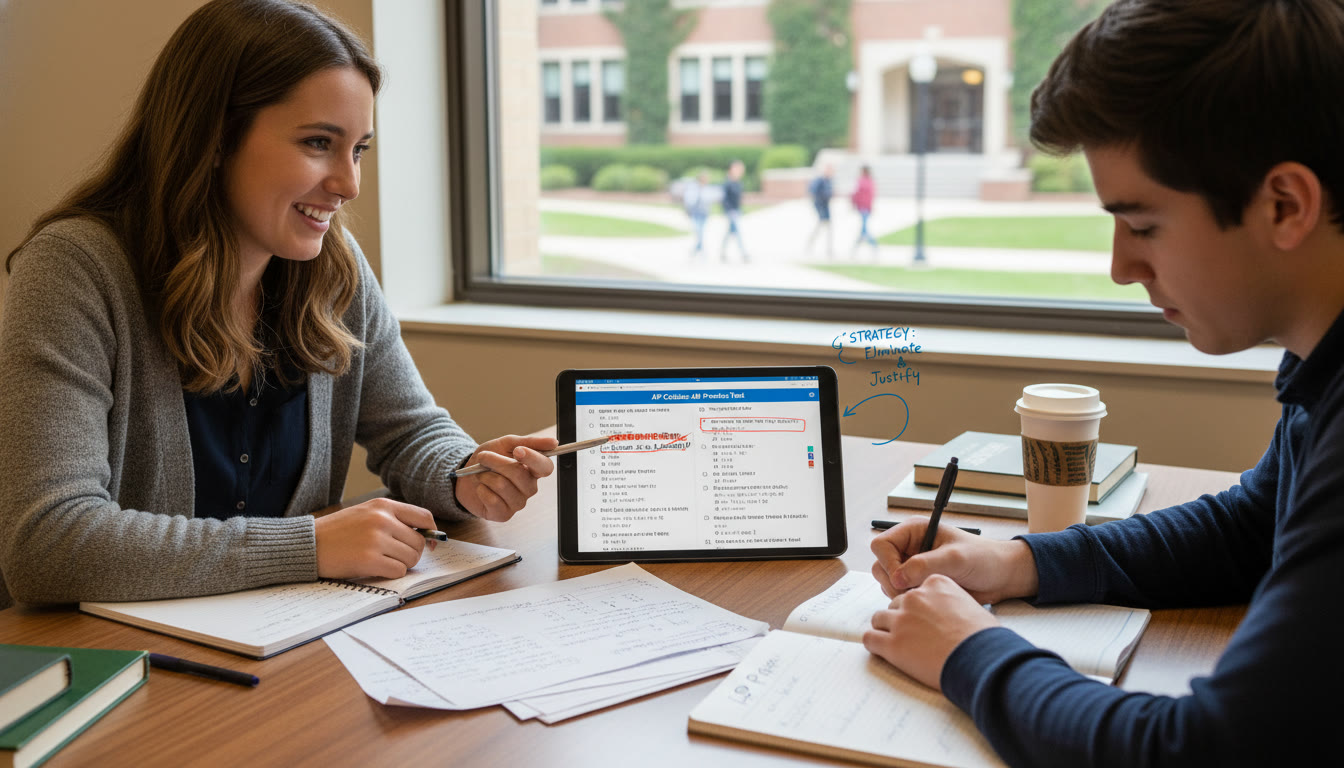
Closing thoughts: balance curiosity with accountability
AI can be an incredible study partner when used responsibly. The difference between help and harm often comes down to intent, documentation, and the ability to explain your work. For AP students, that means retaining ownership of long-term projects and checkpoints. For Digital SAT test-takers, it means treating test day as sacrosanct: no outside help, no devices that can capture or transmit content, and no shortcuts.
If you re a student, keep drafts, ask questions, and practice explaining your work out loud. If you re a parent, support transparency and resist doing the last-minute “fixes” that undermine authenticity. And if you want tailored, ethical guidance that aligns with current policies, consider personalized tutoring options like Sparkl s 1-on-1 approach that blend expert human coaching with smart, policy-aware use of technology.
Final tip: build a portfolio of honesty
The simplest long-term strategy is to build an honest portfolio of your work drafts, dated notes, and reflections. That portfolio does two things: it protects you if your work is questioned, and it becomes evidence of the real learning you ll need in college and beyond. In a world of clever shortcuts, integrity is not just compliance it s your competitive advantage.
Good luck, and remember: the tools are there to make you better at thinking not to think for you. Keep curiosity alive, respect the rules, and your achievements will be truly yours.


























No Comments
Leave a comment Cancel