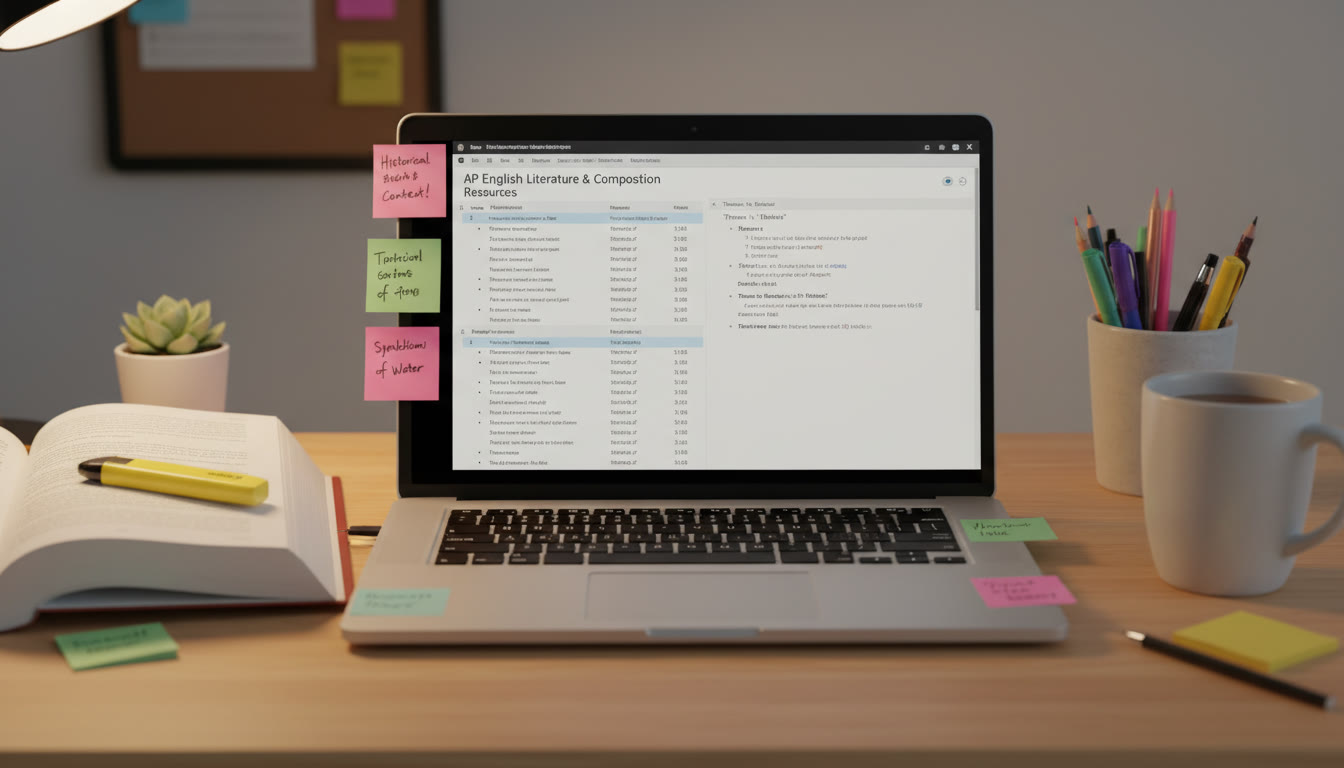

Why Citation Managers Matter for AP and Board Success
If you’re a student preparing for AP exams or board-style assessments that ask for research, argumentative essays, or documented lab reports, clean and consistent citations aren’t just a formality — they signal credibility. Teachers and examiners look for evidence that you can find, evaluate, and integrate sources. A citation manager is your backstage crew: it collects sources, formats references, and frees you to focus on analysis and clarity.
Common Citation Styles: When to Use MLA, APA, and Chicago
Different disciplines and exam prompts prefer different styles. Knowing the why behind each format helps you pick the right one quickly.
MLA (Modern Language Association)
Often used in literature and the humanities. MLA emphasizes authorship and page numbers for direct quotations, making it easy for readers to trace textual evidence. AP English Language and Composition and AP English Literature essays often expect MLA-style references when external sources are used.
APA (American Psychological Association)
Preferred in social sciences and psychology. APA uses an author-date system that highlights the timeliness of research — handy when you’re building arguments that rely on recent studies. AP Research and certain history or social science board assignments may ask for APA formatting to stress methodological rigor.
Chicago (Notes and Bibliography or Author-Date)
Chicago is versatile: the notes-and-bibliography form is common in history and the humanities, while author-date is closer to APA and used in some sciences. If your teacher asks for Chicago, double-check whether they want footnotes (notes style) or parenthetical citations (author-date).
How Citation Managers Fit Into AP and Board Workflows
Think of a citation manager as three tools bundled into one: a collector (it captures sources), an organizer (it groups and tags them), and a formatter (it generates citations in your chosen style). Used well, it makes drafting research questions, writing annotated bibliographies, and assembling works cited pages much faster.
Typical Workflow for an AP Research or Board Project
- Define your research question and keywords.
- Collect sources from databases, books, news articles, and interviews.
- Save sources into a citation manager and tag them (e.g., “method,” “evidence,” “counterargument”).
- Read, annotate, and attach notes to each source inside the manager or in your note-taking app.
- Build outlines that reference your organized notes and link to citations directly.
- Insert citations while writing and generate a Works Cited/References/Bibliography page automatically.
- Double-check formatting rules specific to MLA/APA/Chicago and adapt dates, DOIs, or page numbers as needed.
Practical Comparison Table: What to Track in a Citation Manager
| Feature | Why It Matters | How It Helps in AP / Board Work |
|---|---|---|
| Automatic capture (browser plugin) | Saves source metadata with one click | Saves time during rapid research sessions and reduces human data-entry errors |
| Style switching (MLA/APA/Chicago) | Converts references into the needed style | Quickly adapts your bibliography to teacher preference or exam rubric |
| Note and annotation features | Connects your thoughts to sources | Great for building evidence chains in essays or lab reports |
| PDF storage and highlighting | Keeps primary sources attached and searchable | Useful for exam prep when you need quick quotes and page references |
| Integration with word processors | Inserts citations and builds bibliographies as you write | Reduces formatting errors on the final exam draft |
| Collaboration and sharing | Share libraries or references with classmates or teachers | Streamlines group projects and peer review for AP Research or lab teams |
Step-by-Step: Setting Up a Citation Manager for an AP Project
Follow this practical routine the first time you use a citation manager — it takes under 30 minutes and saves hours later.
1. Create a project-specific library
Make a dedicated folder or collection named after your project (for example, “AP Research: Urban Heat Islands” or “Biology Board Project 2025”). This keeps unrelated sources from cluttering your view and helps when exporting a final bibliography.
2. Install the browser capture tool
One click should import source metadata: author, title, journal, date, DOI, and URL. When sources are captured cleanly, your citation manager can format them properly in MLA, APA, or Chicago with minimal editing.
3. Tag and annotate immediately
As soon as you add a source, tag it: purpose (background, method, counterpoint), reliability (peer-reviewed, newspaper, blog), and the section of your outline it supports. Then add a one-sentence annotation summarizing the source’s key point and how you might use it.
4. Link notes to citations
If your manager supports notes, attach direct quotes and page numbers to the source entry. This makes it painless to insert exact citations into essays and exam practice responses later.
5. Practice inserting citations while drafting
Use the word-processor plugin to drop in citations as you write. This trains you to think in terms of evidence: where is the claim, and which source backs it? By the time you reach the bibliography, much of the work is done for you.
Common Mistakes Students Make (and How to Avoid Them)
- Waiting until the last minute to build the bibliography — start organizing sources the day you begin research.
- Relying on imperfect auto-capture without checking metadata — always confirm page ranges, author names, and dates.
- Using inconsistent citation styles within the same document — set the required style at the start and stick to it.
- Forgetting to include access dates or DOIs for online sources when required — know whether MLA, APA, or Chicago wants a URL, DOI, or access date.
- Copy-pasting citations into the text instead of using the insertion tool — that loses the live link between your writing and the library, making later edits painful.
Examples: MLA, APA, and Chicago In Practice
Seeing how each style handles the same source can clarify differences quickly. Below are typical citation structures you’ll encounter — the citation manager will do the heavy lifting, but you should still understand what elements matter.
Key elements to capture and why
- Author(s): Who wrote the piece and in what order (important for all styles).
- Title: Full title of article, book, or chapter (helps identify the source).
- Publication date: Critical for APA and many board rubrics that prioritize currency.
- Publisher or journal: Required for books and journal articles.
- Page numbers or article numbers: Needed for direct quotations and precise references.
- DOI/URL and Access Date: For online sources, especially when no DOI is present.
Table: Quick-Reference Citation Elements by Style
| Element | MLA (Works Cited) | APA (References) | Chicago (Bibliography) |
|---|---|---|---|
| Author Name | Last, First. | Last, F. M. | Last, First. |
| Title | Full title in headline style. | Full title in sentence case. | Full title in headline or title case (varies). |
| Date | Day Month Year (if available). | Year in parentheses. | Year, sometimes full date. |
| Page Numbers | Include for articles and chapters. | Include for articles and chapters. | Include for articles and chapters; format varies. |
| URLs/DOIs | Optional but common; include access date if required. | Prefer DOI; include URL if no DOI; access date not usually required. | Include DOI or URL; access date may be required for unstable content. |
Using Citation Managers During Exam Prep and On Deadline
When you practice timed essays or build a final submission for a board exam, time pressure changes everything. Build shortcuts into your workflow so you’re not juggling references while under the clock.
Speed tips for timed practice
- Prepare a mini-library of commonly used sources (statistical agencies, canonical texts, key studies) so you can cite them quickly in prompts that allow external references.
- Use saved citation snippets for frequently cited works — many managers let you export formatted references to paste into exam responses where allowed.
- Keep a clean template for MLA, APA, and Chicago with the correct margins, header, and title page format so you don’t lose points on formatting alone.
Collaborative Projects and Group Workflows
Group projects are common in AP Research or advanced board assignments. Citation managers smooth the collaboration curve when everyone can contribute to a shared library.
Best practices for team projects
- Create a shared collection and assign roles (chief researcher, annotator, editor) so contribution is trackable.
- Agree on a single citation style before you start writing — switching mid-project creates extra work and inconsistencies.
- Use tags for division: “Methodology,” “Statistics,” “Primary Source,” etc. This makes peer review and editing faster.
How Personalized Tutoring Can Help You Master Citations
Learning citation rules by memorization is slow and error-prone. Personalized tutoring accelerates learning by tailoring instruction to your immediate needs. For students preparing for AP and board work, a tutor can:
- Demonstrate how to capture unusual source types (podcasts, interviews, government reports) correctly in MLA, APA, or Chicago.
- Set up your citation manager library and show you shortcuts for quick insertion and bibliography export.
- Review a full draft for citation consistency and teach you how to spot common formatting pitfalls.
Services like Sparkl’s personalized tutoring offer 1-on-1 guidance, tailored study plans, expert tutors, and AI-driven insights that reduce the guesswork. When a tutor walks you through one real project start-to-finish, the next assignment feels much easier.
Checking Your Work: A Final-Stage Checklist
Before you submit any AP or board-style paper, run through this checklist to catch common errors:
- Are all in-text citations matched by an entry in the bibliography (and vice versa)?
- Is the citation style consistent across the whole document?
- Did your citation manager capture all necessary metadata (authors, dates, page numbers, DOIs)?
- Are URLs or DOIs formatted according to the required style (and are access dates included where needed)?
- Did you follow any special instructions from your teacher or exam rubric about source types or formatting?
Real-World Examples and Classroom Scenarios
To bring these ideas into sharper focus, here are a few short scenarios students commonly face:
Scenario 1: The Surprising Blog Post
You find a blog post with a great quote but the author isn’t clearly listed. Capture as much metadata as you can and tag the entry as “questionable credibility.” If the quote is essential, cite it and note in your annotation why it’s credible (author’s credentials, sources cited, or corroboration). A tutor can help you decide whether the source is acceptable for AP or board expectations.
Scenario 2: The Interview Source
Primary interviews are gold for original research, but they need clear attribution. Save the interview details (interviewee, interviewer, date, location, and format) in your citation manager and attach a transcript or notes. This keeps your methodology transparent and defensible to exam readers.
Scenario 3: Group Project with Multiple Citation Styles
One teammate prefers APA, another learned MLA. Don’t mix. Choose one style for the final submission. Use the citation manager’s style switch early and have a peer or tutor do a quick pass strictly for formatting before submission.
Beyond the Basics: Advanced Tips for High-Scoring Submissions
- Use annotation and notes to build evidence chains — your exam readers reward a clear link between claim, evidence, and source.
- Learn when to use primary sources versus secondary analyses and show that distinction in your annotations and methodology section.
- For AP Research, include a brief appendix with raw data and clear source provenance; your citation manager can help maintain that trail.
- Practice converting citations between styles so you understand the logic behind each rule and aren’t dependent on automation alone.

Final Thoughts: Make Citation Management Part of Your Academic Identity
Great research skills aren’t just about finding sources — they’re about curating, contextualizing, and crediting them thoughtfully. For AP exams and board projects, that distinction separates good work from excellent work. A citation manager is a practical ally, but the human habits you build — tagging, annotating, verifying metadata, and practicing insertion under time — are what make you reliable and persuasive.
If you find the technical side of citations frustrating, consider short, targeted tutoring sessions to set up your library and workflow. With 1-on-1 guidance and a few real project walkthroughs, you’ll gain confidence and reclaim the time you’d otherwise spend fixing formatting errors at the last minute.
Quick Reference: Your Action Plan This Week
- Day 1: Choose a citation manager and create a project library; install the browser capture tool.
- Day 2: Capture 10 sources relevant to a practice prompt and tag/annotate each one.
- Day 3: Draft a one-page response inserting at least three citations using your manager’s plugin.
- Day 4: Run the final-stage checklist and convert the bibliography between MLA and APA to practice style-switching.
- Day 5: Schedule a short tutoring session to review your workflow and get targeted feedback.
Encouragement for Students and Parents
Citation management is a learned skill, not a natural talent. Most students who feel overwhelmed by references simply haven’t had a clear workflow modeled for them. Parents can help by encouraging the step-by-step routine above and considering a few tutoring sessions if the student repeatedly loses points to formatting errors.
When students understand the logic behind MLA, APA, and Chicago and pair that understanding with a functional citation manager, research becomes less of a chore and more of an exciting investigation. That confidence shows up on AP exams, in board assessments, and in college-level coursework that follows.
Closing: Your Next Small Win
Start with one small action: set up a dedicated project library and capture your next source properly. That tiny win compounds fast. Within days you’ll spend less time fighting footnotes and more time sharpening your argument — and that’s the real goal. Good luck, and remember: clarity in research is clarity in thinking.























No Comments
Leave a comment Cancel