
Calculator Strategy: The Quiet Edge You Didn’t Know You Had
There’s a funny thing about calculators: they sit quietly in your backpack like a tiny superpower. Hand them the right problems and they reward you with speed and precision. Hand them the wrong ones and they can sneak in mistakes, false confidence, or wasted time. For AP students, calculator strategy isn’t just about whether a device is allowed. It’s about choosing the right tool for the moment, developing habits that prevent errors, and building a mental checklist so your use of technology helps — not hurts — your score.
Why Calculator Strategy Matters
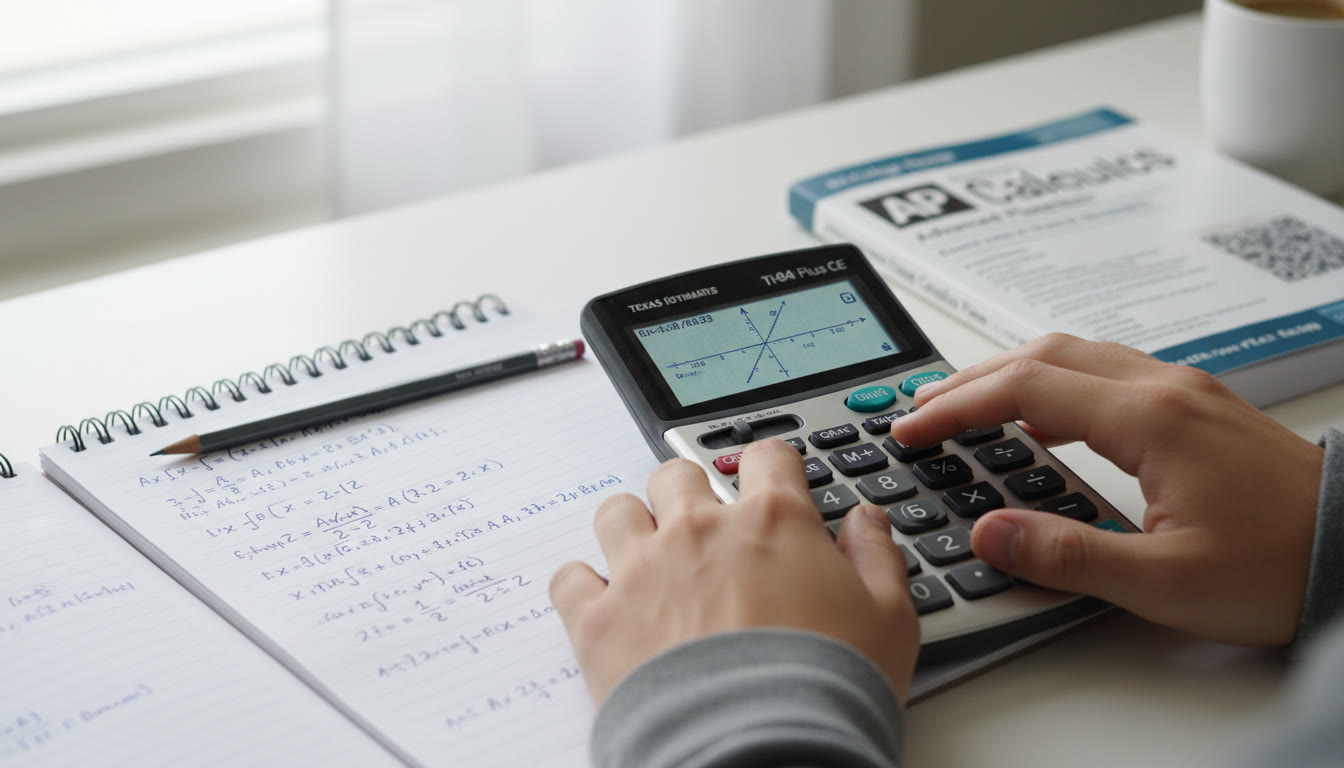
AP exams test conceptual understanding, procedural fluency, and often your ability to interpret numerical results. A calculator can speed arithmetic, create clean graphs, and handle tedious algebra. But relying on it blindly can cost you partial-credit opportunities during free-response sections, waste time on setup, or obscure a simpler non-calculator approach. The goal of a calculator strategy is to amplify strengths: reduce arithmetic tedium, verify answers, and visualize problems — while preserving your ability to reason without it.
Where calculators shine
- Repetitive arithmetic that eats time (long multiplications, repeated conversions).
- Complex numeric evaluation — especially with decimals or roots that don’t simplify nicely.
- Graphing to spot intersections, visual trends, or asymptotic behavior.
- Statistical computations when data sets are long and computing by hand is error-prone.
Where calculators can mislead you
- When a clever algebraic simplification offers a shorter and more robust route.
- When rounding or display formatting hides important exact values.
- When you lose sight of units or sign errors because you trust the output without checking.
- When using unfamiliar calculator functions during a timed section leads to wasted seconds.
College Board Calculator Rules — What You Need to Know
Not all AP exams allow calculators for every part. Some exams require a calculator for specific sections, others permit one for portions, and a few don’t allow calculators at all. A clear mental map of which exams permit calculators — and exactly when they’re allowed — is your first practical step. On digital administrations, the approved Desmos calculator(s) are available through Bluebook for many subjects; depending on the exam this may be a graphing, scientific, or basic 4-function option. You should know whether your exam allows handheld approved calculators and whether the Bluebook Desmos tool will be available.
Quick reference table: AP exams and calculator use
| AP Course | Calculator Allowed? | Calculator Type | Notes |
|---|---|---|---|
| Calculus AB / BC | Yes (on specified parts) | Graphing / Desmos (required on calculator parts) | Some sections are calculator-free — know which parts require it. |
| Statistics | Yes | Graphing with statistical functions (or Desmos where available) | Statistical computation often expects calculator help for larger datasets. |
| Chemistry | Yes | Scientific or Graphing | 4-function allowed but not recommended. |
| Physics 1 / 2 / C | Yes | Scientific or Graphing | Units and signs are key — always check them manually. |
| Macroeconomics / Microeconomics | Yes | 4-Function or Desmos basic | Simple calculations often suffice; avoid unnecessary graphing. |
| Biology / Environmental Science | Yes (some parts) | 4-Function, Scientific, or Graphing | Useful for data interpretation and conversions. |
| Computer Science A / Principles | No (except with approved accommodation) | N/A | Logic and programming concepts are the focus. |
Memorize the policy for your specific AP course. Knowing whether Desmos will be available digitally and whether handheld calculators are permitted can shape how you practice and what device you bring on exam day.
Practical Calculator Habits for Exam Day
Good habits remove decision fatigue. Before exam day, create a short checklist that you run through as you prepare your materials — and again the morning of the test.
Pre-exam checklist
- Charge batteries or bring fresh ones — many students pack a backup battery or a second approved calculator.
- Know exactly when calculators are required vs. optional in your exam — flag those sections in your study guide.
- Practice with the exact tool you’ll use on test day. If your school provides a specific graphing model or you’ll use Desmos in Bluebook, train with that interface.
- Clear your workspace of clutter so you don’t accidentally share or swap calculators.
- Create a quick paper checklist to keep in your test booklet (e.g., units, sign, reasonableness check, significant figures).
On-the-paper habits that save points
- Always write a one-line explanation or show the setup when a free-response question asks for reasoning. Even if the calculator gives a numeric result, the graders want to see the path.
- Round only at the end. Keep intermediate values in full precision on your device, but when you write your final answer, state your rounding and units.
- When a calculator gives a surprising result, take 10–20 seconds to sanity-check it with an estimate or a quick algebraic manipulation.
- Label axes on graphs you present. A pretty graph without labels can cost interpretation points.
When to Avoid the Calculator: A Short, Powerful List
Some problems are solved faster and more reliably without a calculator. That’s a skill worth practicing.
Use mental math or algebra when:
- The problem simplifies neatly with algebraic manipulation (factor, cancel, rationalize).
- You can find an exact form quickly (fractions, radicals, symbolic answers) — calculators might return messy decimals.
- Time is tight and the non-calculator route is shorter (for example, known trig identities or common integrals).
- You’re asked for proof or explanation. The reasoning matters more than a numeric output.
When to Use the Calculator: High-Impact Scenarios
Calculator use should be strategic. Ask yourself: Will the calculator save more time than it costs to set up? Will it improve accuracy? If the answer is yes, then use it.
High-impact uses include
- Evaluating lengthy expressions with many operations where careless arithmetic is likely.
- Plotting functions to find intersections, approximate roots, or visualize odd behavior (e.g., asymptotes) in calculus tasks.
- Crunching large datasets or quickly computing standard deviations and regression outputs in statistics.
- Checking numeric answers after you’ve solved the problem algebraically — a calculator can confirm arithmetic or provide insight when your algebra yields a questionable value.
Balancing Speed and Accuracy: Time Management with Calculators
Calculator decisions influence pacing. Some students get stuck wrestling with calculator menus; others race ahead and forget to interpret results. Use this pragmatic timing guideline while practicing so it becomes automatic on test day.
Timing rule of thumb
- If a calculator operation (including setup and interpretation) is likely to take longer than one minute, think twice. Use estimation or a simpler method instead.
- Reserve graphing setups for problems where a visual will save several minutes or clarify an approach.
- Use calculator checks at natural breakpoints: after solving an equation algebraically, after deriving an integral result, or before committing to a final multiple-choice bubble.
Study Plan: Building Calculator Fluency
Calculator fluency doesn’t mean memorizing every button. It’s a mix of interface familiarity, purposeful practice, and strategic judgment. Here’s a practical weekly plan you can adjust to your timeline.
4-week focused plan (example)
- Week 1: Device Familiarity — Spend short daily sessions exploring your calculator’s menus. Program a few useful constants (if allowed) and practice switching modes (degree/radian, decimal/fraction displays).
- Week 2: Routine Operations — Time yourself doing common tasks: quadratic formula calculations, solving simple systems, graphing a function and finding intersections.
- Week 3: Exam Simulation — Take at least two timed sections that mimic calculator-permitted parts. Force yourself to decide, out loud or in a note, when you’ll use the calculator.
- Week 4: Analysis and Polish — Review mistakes, practice mental-check strategies, and finalize your on-paper checklist for test day.
Consider a few targeted sessions with a coach or tutor for the last-mile polish. Personalized tutoring — for example, Sparkl’s 1-on-1 guidance — can help you identify weak spots in calculator use, create tailored practice problems, and deliver AI-driven insights into recurring mistakes. Those small adjustments often translate to steady score improvements.
Common Calculator Mistakes and How to Prevent Them
Here are the pitfalls students stumble into most often — and simple fixes you can adopt right away.
Top mistakes
- Wrong mode (e.g., radian vs degree) — Always check mode before using trig functions.
- Rounding too early — Keep full precision until the final step and then round deliberately.
- Interpreting calculator results as the entire answer — Add units, context, and justification on paper.
- Overreliance on calculator for algebraic insight — Use it for checking, not as the primary reasoning tool.
- Input errors — When in doubt, re-enter the expression and compare results.
Simple prevention strategies
- Create a single-line “mode check” ritual before answering the first calculator question.
- Practice a quick estimation before calculating to have an expected ballpark answer.
- Develop a habit of writing the exact expression you enter into the calculator — that way, graders can follow your reasoning and you can find input mistakes later.
Examples: Calculator vs. No Calculator Solutions
Seeing side-by-side examples helps make the choice concrete.
Example 1 — Trigonometry (When to avoid)
Problem: Prove that sin^2(x) + cos^2(x) = 1 and evaluate sin(45°) exactly.
Why avoid a calculator: This problem tests identity knowledge and exact values. The reasoning and exact radical expression (√2/2) are worth points; a decimal calculation would be less precise and take longer to explain.
Example 2 — Statistics (When to use)
Problem: You’re given a data set of 30 values and asked to compute the standard deviation and a linear regression slope.
Why use a calculator: The computation is tedious by hand and error-prone. A graphing calculator or built-in Desmos statistical tools produce quick, reliable results that you can then interpret in context.
Test-Day Logistics and Final Checklist
As exam day approaches, small logistical decisions reduce anxiety and eliminate silly mistakes.
Final checklist
- Two acceptable calculators (if allowed) or one reliable device plus a backup battery.
- Familiarity with the exact Bluebook Desmos interface or your handheld model.
- Practice page with key reminders (mode, units, rounding conventions) that you can mentally review before each calculator section.
- Plan for time: if you’ll use the calculator to check answers, budget a minute or two per major question for verification.

Wrapping Up: Make the Calculator Work for You
Calculators are tools, not crutches. The students who score highest on AP exams are the ones who know when to lean on a device and when to rely on reasoning. Practice both skills: sharpen your mental math and algebra, and build intentional, efficient habits with the calculator you’ll use on test day.
When in doubt, use this mental flowchart during practice — and make it automatic before the exam: Could I do this faster by hand or algebraically? If yes, do that. If no, and the calculator shortens time or reduces error, use it — but always show reasoning and sanity-check the result.
Small investments, big returns
Focusing just a few hours each week on calculator fluency can convert tiny test-day blunders into confident, correct answers. If you want laser-focused practice tailored to your strengths and tendencies, personalized tutoring — like Sparkl’s expert tutors and AI-driven insights — can help you target weak spots, simulate realistic exam conditions, and create a tailored study plan that fits your timeline and goals.
Final thought: the best strategy blends judgment, practice, and calm. Let the calculator do the heavy arithmetic. You do the thinking.
Checklist You Can Use Tonight
- Verify which sections of your AP exam allow a calculator and which don’t.
- Practice the same calculator interface you’ll use on exam day for at least one full timed section.
- Create a one-line mode-and-precision reminder and practice saying it out loud before each calculator use.
- Plan two fallback solutions: a fast algebraic method and a calculator-backed verification.
- Consider 1-on-1 guidance to polish weak spots — a few sessions often yield high returns.
Good luck — and remember: mastery is deliberate. Use the calculator when it amplifies thinking, not when it replaces it. With a few intentional practice sessions, you’ll walk into the exam confident, efficient, and ready to make the tool work for you.



























No Comments
Leave a comment Cancel