
Why Desmos Matters for AP Math (and Why You Should Care)
If you’re preparing for AP Calculus, AP Precalculus, or any AP math-infused exam, Desmos isn’t just a pretty graphing tool — it’s a strategic advantage. The College Board now includes a built-in Desmos graphing calculator in Bluebook for many AP exams, so knowing how to wield Desmos quickly, accurately, and exam-safely can shave precious minutes off your test time and sharpen your reasoning on tricky questions.

This post is written with one goal: to move you from “I know Desmos” to “Desmos is my secret weapon.” We’ll cover essential moves, time-saving workflows, common pitfalls, and a few higher-level tactics that separate competent students from confident scorers. Along the way I’ll drop quick examples, offer practice prompts, and show how a tailored approach — such as Sparkl’s personalized tutoring with 1-on-1 guidance and AI-driven insights — can accelerate your mastery when you need it most.
Big Picture: What Desmos Can Do on AP Exams
Before the move-by-move playbook, get the lay of the land. On exams that allow or require graphing calculators, you can expect to use Desmos for several common tasks:
- Graphing functions and exploring transformations visually.
- Finding intersections, zeros, and extrema numerically when algebra is messy.
- Generating tables of values to check limits, sequences, or regressions.
- Checking work: verify algebraic solutions without relying on Desmos for final answers.
Important note: Desmos in Bluebook is the only Desmos implementation allowed during the AP Exam. That means you should practice in the same environment — or as close to it as possible — so you’re comfortable with the exact tools you’ll use on test day.
Core Power Moves (What to Learn First)
These are the fundamental skills that give the highest return on study time. Treat them like your baseline toolkit.
1. Rapid Graphing and Layering Functions
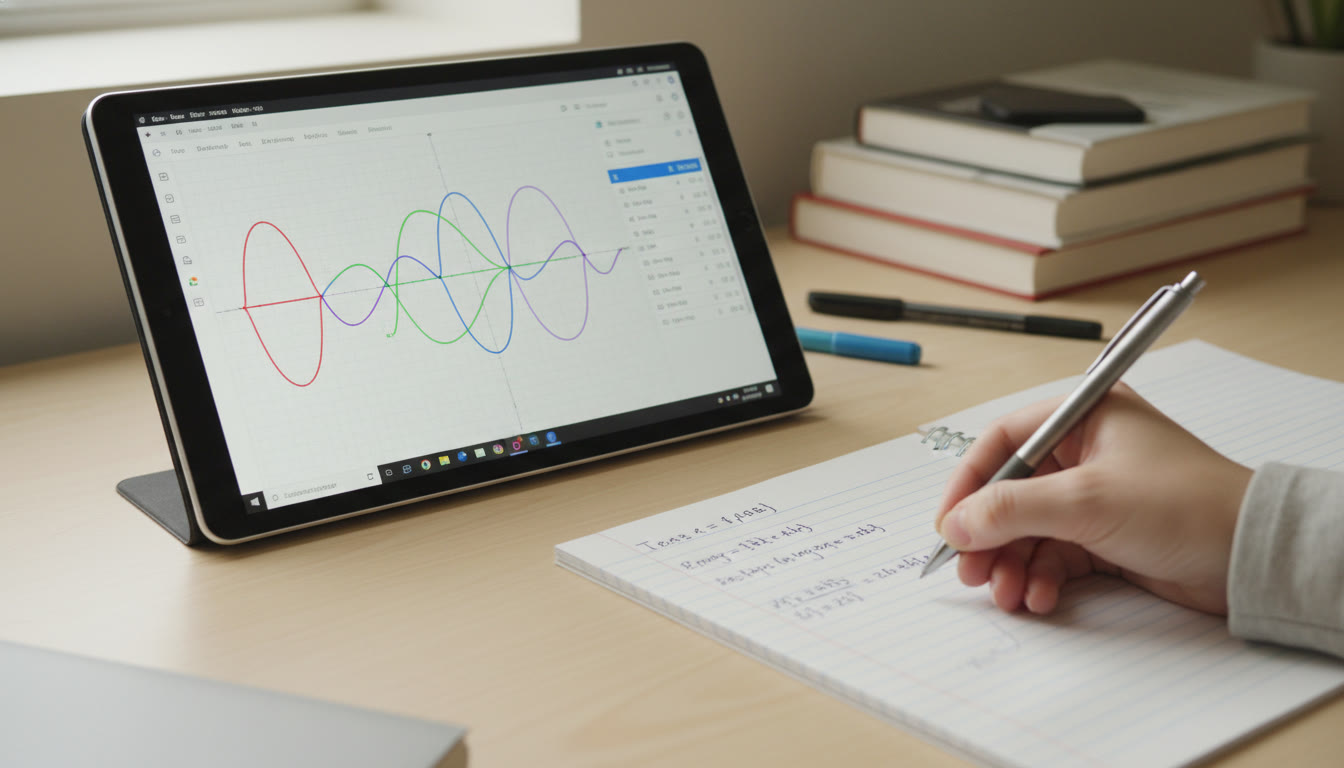
Desmos loves layers. Type a function and then add a second function on the next line. Use color and sliders to compare behavior and spot intersections.
- Tip: Use parentheses and clear variable formatting: type y = (x^2 – 4)/(x – 2) to see removable discontinuities or simplified forms visually.
- Practice: Compare y = x^3 – 3x and y = 3x – x^3 on two lines and watch where they cross — connection to odd/even symmetry and inflection points becomes obvious.
2. Sliders — The Quick “What If” Engine
Create sliders for parameters (a, b, c) to visually explore how coefficients affect amplitude, horizontal shifts, frequency, and more. Sliders are fast for multiple-choice intuition and for checking free-response reasoning when you need to test boundary cases.
3. Table Mode For Numerical Insight
Switching to a table is often faster than algebra when you want specific values or to test convergence. Use tables to check limits from the left and right, or to verify values for Riemann sum approximations.
4. Built-in Root, Intersection, and Extremum Tools
Desmos can find intersections and roots numerically — invaluable on messy algebra where an exact symbolic solution is slow. But remember: use Desmos to confirm, not to replace reasoning. If the exam expects symbolic work, show your steps and use Desmos as a verifier.
Exam-Specific Workflows: Save Time Without Cutting Corners
AP exams are as much about efficiency as they are about knowledge. The following workflows are tuned for speed and reliability in exam conditions.
Workflow A: Multiple-Choice Quick Check (30–90 seconds)
- Read question and identify target (root, intersection, max/min, area under curve).
- Type the function(s) into Desmos, set an appropriate window, and add a table to view candidate values.
- Use intersection/zero tool for exact numerical anchors. Eliminate impossible choices quickly.
This approach wins time on tricky MCQs where algebra would take longer and the numerical answer is sufficient to eliminate distractors.
Workflow B: Free-Response Robust Check (2–6 minutes)
- Do algebraic work on paper first. Write clearly so graders can follow reasoning — graders value method over numerical confirmation.
- Enter your final expression into Desmos to test for edge cases, constraints, or to approximate when you can’t get a neat algebraic value.
- If your algebra contradicts Desmos, re-check algebraic steps instead of just trusting the calculator; often the error is a sign mistake or a dropped term.
Workflow C: Modeling and Regression (AP Calculus/Physics/Environmental)
When a problem provides data points, use Desmos regression tools to model behavior (linear, quadratic, exponential). Then, inspect residuals or plug the model back into the context of the question. This is especially useful in applied problems where interpretation is key.
Practical Desmos Hacks That Look Like Magic
These are small tricks that feel impressive because they save mental energy and time.
Implicit Curves and Piecewise Definitions
Use Desmos’ ability to plot implicit equations (like x^2 + y^2 = 9) to visualize circles, ellipses, or boundaries. For piecewise functions, use conditional statements: y = {x<0: -x, x>=0: x^2} (Desmos supports piecewise constructs). Seeing the graph instantly can clarify domain or limit questions.
Use Desmos as a Sandbox for Algebraic Manipulation
While Desmos doesn’t show symbolic steps, you can use it to test algebraic manipulations. For example, check that an algebraic simplification is equivalent by plotting the original expression and the simplified expression on two lines — if they overlap for all visible x, you’re likely correct.
Parametric and Polar Snapshots
Parametric plots are critical for some AP Calculus and Precalculus questions. Desmos makes converting between parametric and Cartesian quick — plot both forms side-by-side to verify behavior, especially when speed or orientation matters in a free-response prompt.
Common Pitfalls and How to Avoid Them
Even great Desmos users fall into predictable traps. Recognize them early and you’ll avoid unnecessary deduction mistakes.
1. Wrong Window, Wrong Answer
A graph that looks flat or missing intersections is usually a window problem. Before concluding there’s no solution, zoom out or reset the window. Use a table to test values beyond the visible window.
2. Trusting Numerical Output Without Reason
Desmos gives numeric approximations that can be misleading near vertical asymptotes or discontinuities. If Desmos reports a root at x = 1.999999, consider whether the exact solution is 2 or if behavior near an asymptote produced the numeric artefact.
3. Forgetting Allowed/Disallowed Use
Some AP sections are explicitly no-calculator. Know the exam structure so you only reach for Desmos when it’s allowed. When in doubt, practice solving both with and without Desmos — it doubles as good preparation.
Study Plan: How to Build Desmos Skill Over a Month
Here’s a compact 4-week plan to become Desmos-confident for AP Math.
| Week | Focus | Daily Tasks |
|---|---|---|
| Week 1 | Basics & Interface |
|
| Week 2 | Transformations & Sliders |
|
| Week 3 | Problem Workflows |
|
| Week 4 | Simulated Exams & Speed |
|
Consistency beats cramming. If you only have 30 minutes a day, split between technique and question practice and you’ll see steady gains. If you want personalized pacing, a targeted approach like Sparkl’s 1-on-1 tutoring can create a plan tuned to your strengths and weak spots.
Sample Problems and Desmos Walkthroughs
Let’s work through a few representative problems with the Desmos approach. Try them yourself before reading the steps.
Problem 1 — Intersection Insight (Multiple Choice)
Given f(x) = x^3 − 6x^2 + 9x + 1 and g(x) = 2x − 3, which of the following is closest to the x-coordinate of their leftmost intersection?
Desmos approach: Plot both functions, zoom out to see all intersections, use the intersection tool, and tabulate x-values in ascending order. This is faster than messy algebraic factoring, and gives a reliable numeric anchor when answer choices are approximate.
Problem 2 — Limit Behavior (Free-Response)
Evaluate lim_{x→2} (x^2 − 4)/(x − 2).
Algebraic solution: Factor to (x−2)(x+2)/(x−2) and simplify to x+2, giving limit 4. Desmos check: Plot both the original expression (with domain restrictions) and the simplified expression; use a table approaching 2 from left and right to confirm values approach 4. Use Desmos to catch algebra mistakes if you mistakenly cancel incorrectly.
Problem 3 — Riemann Sums and Approximations
Estimate the definite integral using n = 4 right Riemann sums. After computing the sums, plot the function and use shading or rectangles in Desmos to visually confirm your arithmetic. Visual confirmation is a good way to catch sign errors or miscounted intervals.
How to Practice Under Realistic AP Conditions
The best practice mirrors the exam. That means time limits, scratch paper, and practicing the exact Desmos interface used by Bluebook whenever possible. If you can’t access Bluebook, practice with the web or mobile Desmos app but be mindful of interface differences.
- Time your MCQ sections and force yourself to decide when Desmos is necessary versus when a quick mental trick suffices.
- Practice doing algebraic work on paper first for FRQs and then using Desmos as a verification step — graders want to see your reasoning, not just a screenshot of a graph.
- Run through a few practice exams while limiting calculator use on sections that are no-calculator in the actual exam to maintain fluency without dependence.
When to Ask for Help: Sparkl’s Role and Smart Tutoring
Some students plateau because they use Desmos reactively rather than strategically. That’s where personalized tutoring pays dividends. A tutor can:
- Diagnose unproductive habits — for example, over-reliance on guess-and-check instead of analytical setup.
- Create a tailored practice schedule that balances algebra, conceptual understanding, and efficient Desmos workflows.
- Use AI-driven insights and 1-on-1 guidance to pinpoint the exact moves you should practice to close small score gaps quickly.
Sparkl’s personalized tutoring blends expert tutors with tailored study plans and AI-driven insights — which is particularly useful when you need to refine exam-specific workflows rather than generic Desmos tutorials.
Advanced Moves for Confident Students
If you’re already comfortable with the basics and want to push higher, these advanced techniques will help you extract deeper insight from Desmos and strengthen your exam intuition.
Symbolic Reasoning With Numerical Backing
Use Desmos to test conjectures quickly: for example, hypothesize that two expressions are equal across a domain, then plot their difference. If the difference is zero across the window, you have strong numerical evidence to back a symbolic claim — then craft the algebraic proof on paper.
Combining Parametric, Polar, and Cartesian Insight
Some AP problems ask you to move between representations. Plot the three simultaneously in Desmos to observe where parametric behavior produces cusps or loops that are harder to see symbolically.
Custom Notes and Templates
Create a library of Desmos templates you can load during practice: a standard window for intersections, a parametric template, a piecewise template, and a table setup for Riemann sums. Building muscle memory with these templates saves seconds that add up on exam day.
Cheat Sheet: Quick Commands and Shortcuts
Memorize these little commands and habits. They are small time-savers that improve accuracy.
- Use parentheses liberally: (x+1)^2 vs x+1^2 — parentheses avoid priority mistakes.
- Create sliders by typing a variable then clicking the + sign next to it — instant parameter exploration.
- Use a table to sample values quickly: click the gear icon on an expression and select “table.”
- Color code functions mentally: assign colors to key functions to avoid confusion when multiple graphs overlap.
- Reset the window quickly: use the wrench (graph settings) to set a standard window like [-10, 10] x [-10, 10] during practice so you don’t waste time hunting for features.
Real-World Context: Why These Skills Matter Beyond the Exam
Learning Desmos well trains visual intuition, numerical reasoning, and model-checking — skills that matter in college STEM courses and in real-world problem solving. Employers and professors value the ability to interpret models quickly, test hypotheses with numeric evidence, and explain why an approximation is valid. Desmos makes these habits habitual.
Final Checklist Before Exam Day
- Practice in the Bluebook Desmos interface if possible, or mimic its behavior closely.
- Memorize which sections of your specific AP exam allow calculators and when they’re forbidden.
- Build and rehearse the two core workflows: MCQ quick-check and FRQ algebra-first verification.
- Have a small set of Desmos templates and a 4-week study rhythm. If you need acceleration, book targeted 1-on-1 sessions to fix weak spots fast.
- Sleep well and do a short mock the day before — confidence beats frantic last-minute practice.
Parting Thought
Desmos is a tool, and like all tools its power scales with the thought you apply to it. Use it to illuminate algebra, to test and refine your reasoning, and to build visual intuition that supports clear, rigorous answers. Practice the workflows above until they feel natural, and consider targeted tutoring if you want a personalized sprint to higher scores — the small investments in strategy and feedback often convert directly into points on exam day.
Want to Go Further?
Try combining these tips with timed practice and a short coaching cycle: three 1-on-1 sessions focused on your most common mistakes, followed by two simulated sections. That tight loop of real practice, feedback, and focused drills is the fastest route from knowing Desmos to owning it on test day.
Good luck — graph boldly, check carefully, and let Desmos amplify the math you already understand.



























No Comments
Leave a comment Cancel