
Why Seminar IMP Matters — and Why You Can Own It
The Individual Multimedia Presentation (IMP) in AP Seminar is more than a graded assignment — it’s a chance to show that you can collaborate, research thoughtfully, and communicate complex ideas clearly under time constraints. Whether your goal is a top score, a college-ready skillset, or stronger confidence speaking in public, mastering the interaction between team roles, slides, and timing is the quickest route to a polished delivery.

Start With Roles: Clear Responsibilities Prevent Chaos
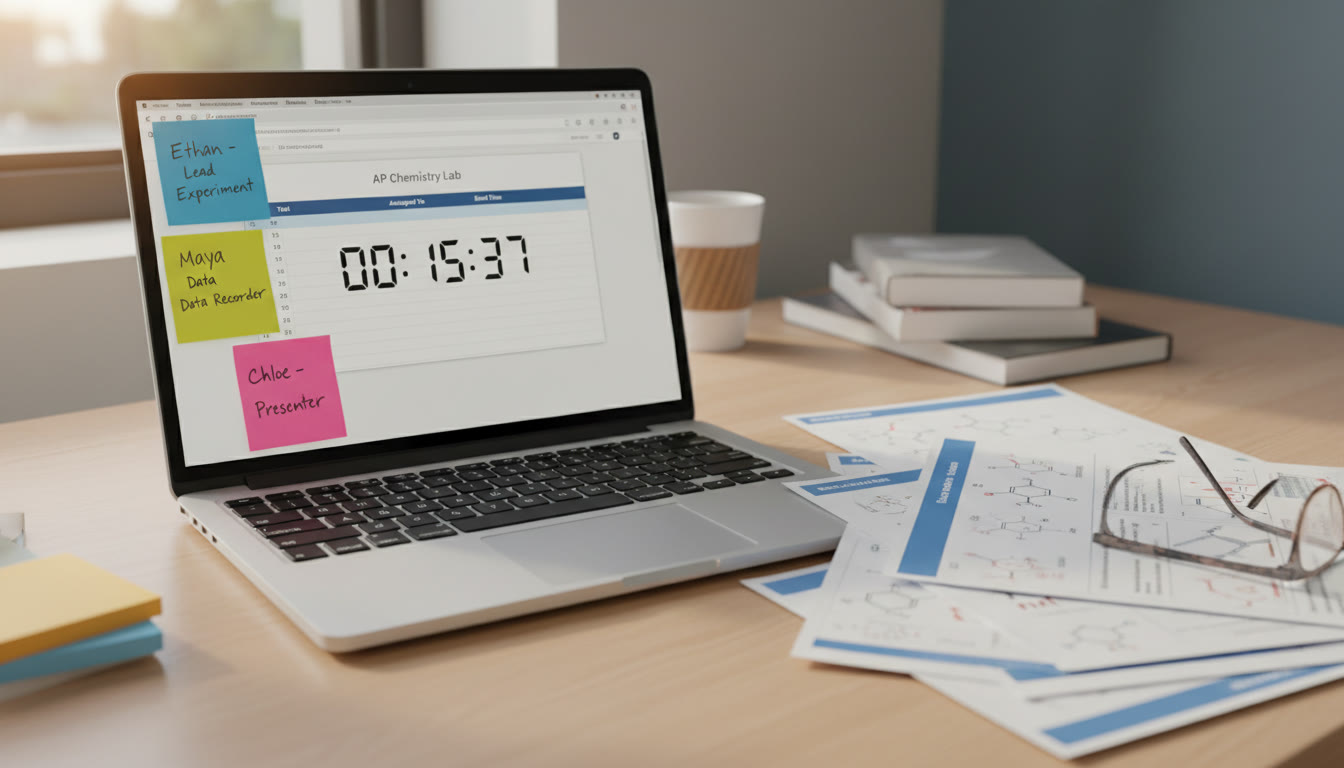
In Seminar IMP, clarity about who does what is your foundation. When roles are explicit, the team moves efficiently, edits faster, and rehearses with purpose. Consider adopting a flexible three- or four-person role structure depending on your team size and assignment requirements.
Core Roles and What They Do
- Lead Presenter — Crafts the narrative arc. Opens the presentation, transitions between sections, and closes with a strong synthesis. This person practices vocal projection and timing cues.
- Content Specialist — Owns the evidence and research: verifies citations, prepares speaker notes for nuanced data, and handles Q&A backup information.
- Slide Designer — Builds a visual system: layout, fonts, color palette, and ensures accessibility (readable fonts, alt text in notes). Also optimizes visuals to align with timing.
- Technical Director / Media Manager (if separate) — Handles audio, video, slide transitions, and any embedded media. They also prepare backups and troubleshoot during rehearsals.
Not every team needs four distinct people; roles can overlap. What matters is that each task is assigned, owned, and double-checked. If two people share a role (e.g., two content specialists), define subareas (claims vs. counterclaims) to avoid duplication.
Tips for Role Assignment
- Match roles to strengths. If someone excels at design but dislikes public speaking, make them the Slide Designer with a small speaking part.
- Rotate micro-roles during rehearsal. Even if you’re Lead Presenter, practice the Content Specialist’s talking points — it deepens understanding.
- Set deadlines tied to rehearsals, not just final submission. Example: draft slides 2 weeks before, first rehearsal 1 week before, final polish 48 hours before.
Slide Strategy: Keep It Simple, Strategic, and Supportive
Slides are your visual scaffold — not a script. In a classroom or virtual setting, judges and peers will appreciate slides that clarify and emphasize key points without overwhelming the audience.
Slide-by-Slide Mindset
- Title & Hook (Slide 1) — One line title, one 10–15 second hook (a striking fact, a rhetorical question, or a short anecdote).
- Roadmap (Slide 2) — Two to three bullets: what you’ll argue, how you’ll support it, and what conclusion you want the audience to draw.
- Evidence Slides — Each claim gets its own slide with: a concise claim, one visual or data snippet, and one brief citation in a corner.
- Counterargument — A single slide acknowledging an opposing view and your rebuttal. It demonstrates critical thinking.
- Synthesis & Call to Action (Final Slide) — One strong sentence that ties evidence to the broader implication plus a takeaway for the audience.
Design Rules of Thumb
- One idea per slide. If you find yourself packing multiple claims, split the slide.
- Limit words: aim for 20–40 words on content slides; use large, readable fonts (24–30 pt for body text).
- Use high-quality visuals (charts, photos) that add meaning. Always cite the source in a small font at the bottom.
- Keep a consistent visual identity: two fonts (one for headings, one for body), two primary colors, and the same slide layout for similar content.
- Include brief speaker notes — enough to remind the speaker of nuances without reading verbatim.
Timing: The Secret Ingredient
AP Seminar presentations have strict timing. Whether your time limit is four, six, or eight minutes, practicing an exact timing plan is essential. Timing gives you rhythm; rhythm creates calm under pressure.
Create a Timing Table
Below is a sample timing table for an 8-minute IMP. Use it as a template and adapt by total time or number of presenters.
| Segment | Seconds | What to Accomplish |
|---|---|---|
| Opening Hook & Thesis | 45 | Grab attention and clearly state the claim. |
| Roadmap | 30 | Outline main points and transitions. |
| Evidence 1 | 70 | Present strongest data/evidence with interpretation. |
| Evidence 2 | 70 | Second piece of evidence and connection to claim. |
| Counterargument + Rebuttal | 60 | Acknowledge and refute or contextualize opposing evidence. |
| Evidence 3 / Broader Implication | 70 | Show why the claim matters beyond the immediate context. |
| Synthesis & Closure | 45 | Tie all together and leave a memorable final thought. |
| Buffer / Transition Time | 40 | Room for brief pauses, slide transitions, or quick clarifying lines. |
This table totals 470 seconds (7 minutes, 50 seconds) — leaving a 10-second cushion. Adjust each row if you have fewer or more total minutes. The key: rehearse until each segment consistently hits its target.
Practical Timing Tips
- Time yourself reading speaker notes out loud — but don’t read slides. The audience values natural, conversational language.
- Use a visible timer during rehearsals, and practice with and without notes to build fluency.
- Place intentional pauses after key claims. A three-second pause gives judges time to register an important point.
- Plan transitions to be under 5 seconds. Practice handshake lines such as, “Building on that evidence, I’ll now show…”
Rehearsal Structure: From First Draft to Competition-Ready
Rehearsal is where roles, slides, and timing converge. A rehearsal plan organized into stages helps you progress from raw draft to confident delivery.
Three-Stage Rehearsal Plan
- Stage 1 — Run-through with Notes (Early; 2–3 rehearsals)
- Objective: Fit the content into the time limits and identify where content is weak or redundant.
- Action: Each presenter reads from notes. Content Specialist checks evidence accuracy; Slide Designer flags visual issues.
- Stage 2 — Polished Run (Mid; 3–4 rehearsals)
- Objective: Smooth transitions, tighten sentences, and ensure slides change on cue.
- Action: Presenters use abbreviated notes. Technical Director times transitions. Record the run for playback critique.
- Stage 3 — Dress Rehearsal (Final; 1–2 rehearsals)
- Objective: Deliver without notes, with final pacing and expression.
- Action: Simulate test/competition conditions. Use the exact room setup or virtual settings and run the presentation in real time.
Common Pitfalls and How to Fix Them
Even smart teams get tripped up. Here are frequent issues and concrete fixes you can practice right away.
Pitfall: Overstuffed Slides
Fix: Split content into smaller chunks and convert long lists into visual diagrams or a sequence of short slides. If a chart is dense, create a follow-up slide that highlights just the relevant slice of data.
Pitfall: Uneven Speaking Time
Fix: Track speaking seconds per person during rehearsals. If one student consistently goes over, reduce their slide load or assign them tighter summarizing lines. Aim for equitable speaking opportunities unless role distribution requires otherwise.
Pitfall: Weak Transitions
Fix: Script and rehearse two-sentence handoffs. Examples: “Thanks, Maya — that shows… I’ll now connect that to…” Repetition breeds muscle memory and reduces awkward dead air.
Pitfall: Technical Glitches
Fix: Always have backups: a PDF of slides, a USB drive, and local copies of media. The Technical Director should test projectors, sound, and online meeting links at least 15 minutes before your presentation.
Assessments and Rubric Alignment: Present What The Rubric Wants
AP Seminar rubrics reward clear argumentation, effective use of evidence, rhetorical choices, and presentation delivery. When planning content, map each slide to the rubric elements: claim, evidence, analysis, and implication. This ensures every minute of your presentation serves scoring goals.
Mini Checklist for Each Slide
- Does this slide support my central claim?
- Is there evidence, and is it sourced?
- Does the slide enable analysis, not just description?
- Can the speaker summarize this slide’s main point in one sentence?
Practical Examples: Two Mini Scenarios
Here are short, realistic scenarios showing how roles, slides, and timing work together.
Scenario A: Three-Person Team — Health Policy Topic
- Lead Presenter (Student A) opens with a short anecdote about a local clinic — hook (30s).
- Content Specialist (Student B) presents survey data and a chart (70s) supported by a slide designed with the Slide Designer’s colors and readable font.
- Lead Presenter returns to synthesize and transition to a counterargument handled by Student C, who rebuts and presents a policy implication (90s).
- All three share a 45-second closing that ties the evidence to a broader implication.
Scenario B: Four-Person Team — Environmental Technology Topic
- One student handles opening and roadmap, the next two alternate presenting evidence with visuals, and the fourth handles the rebuttal and media clips. Transitions are pre-scripted and practiced to under 5 seconds each.
How Sparkl’s Personalized Tutoring Can Fit Naturally Into Your Prep
Some teams benefit from targeted external support. Sparkl’s personalized tutoring can help by providing 1-on-1 guidance on structuring argumentation, creating tailored study plans for research synthesis, and offering expert tutors who suggest slide edits and timing refinements. Their AI-driven insights can highlight phrasing that tightens your claims and suggest practice schedules that fit your team’s availability. Use outside help sparingly and strategically — it should amplify your voice, not replace your team’s work.
Final Checklist: Two Days Out, One Day Out, and Presentation Day
- Two Days Out
- Complete final slide deck and lock design choices.
- Run a full timed rehearsal and record it.
- Technical Director verifies media files and prepares backups.
- One Day Out
- Watch the recording and fix one or two largest problems — don’t chase perfection.
- Prepare printed cue cards with one-line reminders for each slide.
- Confirm arrival time, room, or virtual link and roles for setup.
- Presentation Day
- Arrive early and set up. Test audio/visual equipment.
- Warm up with two vocal exercises and a 60-second team huddle to align energy and cues.
- Stick to your timing plan. If you’re running short, decide in advance which 20-second anecdote to omit.
Closing Thoughts: Presentation Is a Team Sport
AP Seminar IMPs reward preparation, teamwork, and the ability to communicate under pressure. Clear roles prevent last-minute scrambling. Slides should support rather than dominate your speaking. Timing gives your presentation rhythm and credibility. With a rehearsal plan and small safeguards — backups, written transitions, and one full dress rehearsal — your team will present with confidence.
Remember: skillful presentations are learned, not inherited. If you want targeted feedback, consider a focused session with a tutor who can offer one-on-one guidance and tailored practice plans; even a few sessions of personalized coaching can sharpen your delivery and refine your slides so the team shines together. Now gather your teammates, assign roles, draft those slides, and start rehearsing — your best presentation is just a few focused practices away.
























No Comments
Leave a comment Cancel