
Why Screen Time Matters for SAT Students
If you are prepping for the SAT, screens are probably both your best friend and your biggest distraction. You use a laptop for practice tests, an app for vocabulary drills, and a video lesson to clarify a tricky math concept. At the same time, social apps, streaming, and late-night scrolling can quietly eat into the hours you meant to spend studying. The trick is not to demonize screens — they are powerful study tools — but to manage them so they serve your goals rather than sabotage them.
What balanced screen time looks like
Balanced screen time means intentional use: you log on to practice adaptive reading passages and then log off to consolidate with a handwritten summary; you watch a recorded lesson and then immediately practice the problems discussed. It also means healthy limits on passive, attention-draining activities that impair sleep and focus. In short: make screens work for learning, not just for distraction.
The Science in Plain English
Here are a few clear, research-backed points to keep in mind while you plan your study routine.
- Blue light and sleep: evening screen exposure can delay sleep onset and reduce sleep quality, which harms attention and memory consolidation — both crucial for SAT performance.
- Multitasking is a myth: frequently switching between tabs or apps reduces deep thinking and slows learning. Focused practice beats scattered browsing.
- Active vs passive screen use: active learning (practice tests, interactive problems) produces much larger gains than passive consumption (watching long videos without practice).
- Short, spaced practice beats marathon sessions: the brain benefits more from repeated, shorter study sessions over several days than from a single long cram session.
Why this matters for the SAT
The SAT tests reasoning, problem-solving, reading comprehension, and written communication. Those are skills that sharpen with deliberate practice and rest. Poor sleep or attention caused by excessive screen time will make even the best study plan less effective. Conversely, using helpful digital tools in a disciplined way can accelerate progress and give you real, measurable score improvements.
A Practical Framework: Plan, Protect, Practice
Think of balancing screen time around three easy pillars: Plan, Protect, Practice. Together they help you get the most out of your study hours and preserve the non-screen life you need to recharge.
1. Plan intentionally
Start by auditing how you currently spend screen time. Track for three days: time on study apps, time on entertainment, time on social media, and time lost to switching. Once you have a baseline, set simple, realistic goals: number of focused study blocks per day, maximum recreational screen minutes in the evening, and a hard night-time cutoff.
- Example goal: Two focused 50-minute study blocks with a 10-minute break each, plus one 30-minute review session. No social apps after 9:30 pm on weeknights.
- Why it works: short, intense blocks match attention spans and leave room for rest, which aids memory. The night cutoff protects sleep.
2. Protect your focus
Set up both physical and digital boundaries that minimize interruptions and preserve concentration.
- Phone away during study blocks. If that feels extreme, put it in Do Not Disturb and face down in another room.
- Use website blockers to limit tempting sites during study windows. Keep your study environment minimal and tidy.
- Turn off non-essential notifications. Most alerts do not require immediate attention and fragment concentration.
3. Practice deliberately
Use screens for the highest-value tasks: full-length practice tests, adaptive question banks, and targeted video lessons that come with immediate practice. After digital practice, do a small offline consolidation activity so your brain encodes the learning differently.
- After a reading practice set, write a one-paragraph summary by hand.
- After a problem set, do two related problems on paper without looking at solutions.
Daily Routines That Balance Screen Time and SAT Prep
Below are sample daily routines tailored to different student lifestyles. Choose the template that fits your school schedule and tweak it. The key is consistency.
High school student with after-school activities
- Morning (20-30 minutes): Light review of vocabulary flashcards on your phone or paper.
- Afternoon (right after school, 60 minutes): Focused practice block on math or reading on a laptop. Phone in another room.
- Evening (30-45 minutes): Offline review and problem journaling. No screens 60 minutes before bed.
Student with evening study blocks
- Afternoon (20 minutes): Active warm-up with a few practice problems.
- Evening (two 50-minute blocks with a 15-minute break): Use one block for a full-length practice section digitally, the next block for handwritten corrections and reflections.
- Night: Wind down with a book or light stretching instead of late-night video lessons.
Tools and Techniques That Help
Certain techniques make screen-based studying far more effective because they force focus and structure.
Pomodoro with a twist
The classic Pomodoro is 25 minutes on, 5 minutes off. For SAT prep, try 50/10 for deeper problems. Use the short break for physical movement and the longer break for mental rest. During study segments, close everything but the current tab and keep your phone silent.
Active recall and spaced repetition
Digital flashcard systems are great for spaced repetition, but the biggest wins come when you combine them with handwritten notes. After you review a flashcard set online, write the 10 most difficult words or concepts in a small notebook. This dual encoding significantly improves recall.
Mixed media cycles
Alternate a screen-based lesson with an offline exercise. For example: watch a 10-minute video explaining a grammar rule, then do 10 practice questions on paper. This immediately tests comprehension and prevents passive overconsumption of videos.
When to Use Screens — and When Not To
Knowing the right time to reach for a screen is as important as knowing when to avoid it. Here’s a simple decision checklist:
- Is this activity interactive and measurable? Use the screen.
- Does this activity require deep thinking or manual calculation? Prefer paper to encourage slower, more careful reasoning.
- Is this for quick review or passive entertainment? Limit and schedule it, do not let it bleed into focused study time.
Examples
- Full-length diagnostics and adaptive practice: use a laptop with a timer and quiet space.
- Sentence correction drills: alternate online practice with handwritten error logs.
- Timed math sections: do them digitally if the platform mimics test conditions, but practice scratch work on paper every time to keep test-day skills sharp.
A Realistic Weekly Screen Budget
Setting a weekly screen budget helps you visualize trade-offs. The numbers below are a sample guideline you can adapt depending on how close you are to test day.
| Activity | Purpose | Suggested Weekly Minutes |
|---|---|---|
| Full-length practice tests | Simulate test day, build stamina | 180-240 |
| Targeted practice (math/reading sections) | Skill-focused practice | 300-420 |
| Video lessons / tutorials | Clarify concepts | 120-180 |
| Flashcards and drills | Vocabulary and quick recall | 100-200 |
| Non-study screen time (social, streaming) | Relaxation and social life | 300-600 |
These ranges offer a balance: productive study on screens at the top, while preserving time to relax and unplug. As test day nears, increase focused practice and decrease passive screen time.

Sample Two-Week Schedule Before the Test
This schedule is geared toward the last two weeks before test day, when you want to maximize high-impact study while protecting sleep and focus.
- Day 1: Full-length practice test in the morning. Detailed review in the afternoon using a mix of digital corrections and handwritten notes.
- Days 2-4: Targeted practice sessions focusing on weakest sections. One daily timed section and a short video lesson for clarifying strategy.
- Day 5: Light review and active recall. No heavy new learning. Protect sleep — early to bed.
- Day 6: Practice test simulation, but shorter: two timed sections only. Focus on pacing and endurance.
- Days 7-13: Rotation of targeted practice, rest, and confidence-building drills. Decrease total minutes gradually to avoid burnout.
- Day 14 (the day before): Short review, spatially distributed practice of key formulas and vocab. No screens after dinner. Early bedtime.
Handling Social Media, Nighttime Use, and FOMO
Many students worry that strict limits mean they will miss out. But managing FOMO is mostly a mindset shift: scheduling a fixed social window reduces anxiety more than chaotic scrolling.
- Designate a social window each evening. Put the phone on a charger outside the bedroom when you sleep.
- Communicate your study schedule with friends so they know when you are off-grid. Most friends will understand and even cheer you on.
- Use short social breaks as a reward after a productive study block. Rewards work — just keep them timed and intentional.
Real Students, Real Strategies: Short Case Examples
These short, anonymized snapshots show how different students successfully balanced screens and study.
Maya, busy athlete
Maya set a rule: screens only in the late afternoon for focused practice, and no devices 90 minutes before bedtime. She used a taped checklist to force offline review after every online practice session, which kept her from passively re-watching solutions.
Liam, part-time worker
Liam used Pomodoro 50/10 blocks during evening hours. He turned off notifications and used his longest break to call friends, which reduced the urge to scroll. He also booked a weekly 1-on-1 session with a tutor when he needed help breaking down difficult topics.
How Tutoring and Personalized Support Fit In
Digital tools are powerful, but sometimes what accelerates progress fastest is a human coach who tailors the plan to your individual profile. That is where personalized tutoring helps — especially when combined with smart screen habits.
- Targeted 1-on-1 guidance helps you identify the high-leverage skills that need work, saving screen time wasted on low-impact study.
- A tutor can assign specific digital practice and then hold you accountable to offline consolidation tasks.
- Services like Sparkl offer expert tutors and tailored study plans that combine human feedback with AI-driven insights, which can help direct your screen-based practice more efficiently.
Used well, tutoring reduces the guesswork and helps you use every minute online more effectively, so you can study smarter and keep more time for rest and real life.
Practical Tips to Implement Tonight
- Set a night cutoff: no screens 60 to 90 minutes before bed. Read a physical book instead to wind down.
- Create a daily study ritual: same place, same start time, and a brief warm-up routine to enter focus quickly.
- Keep a small notebook for paper practice and error logs. After each digital practice block, spend 10 minutes writing key takeaways by hand.
- Schedule one weekly social screen session so you do not feel deprived and can socialize without guilt.
- Prioritize sleep: aim for consistent bed and wake times, especially the week before the test.
Troubleshooting Common Problems
I still get distracted even with blockers
Try the two-minute rule: if you are tempted to check something, delay for two minutes. Often the urge passes. Also, make the environment slightly uncomfortable for distractions: put the phone in another room or inside a drawer with a simple timer you have to set to get it back.
My practice feels ineffective
Switch to active practice. Instead of watching a long video, pause every few minutes and solve a related question on paper. If progress is slow, consider a short session with a tutor who can pinpoint the exact misunderstanding and assign higher-impact practice. Even one or two 1-on-1 sessions can make your screen time far more productive.
Final Thought: Balance as a Skill
Balancing screen time while preparing for the SAT is not an all-or-nothing challenge. It is a skill you can build. Start with small, consistent changes: protect your focus during study blocks, use screens for high-value practice, and make time to unplug and sleep. Over weeks, those habits compound. You will study more efficiently, feel less stressed, and walk into test day sharper and calmer.
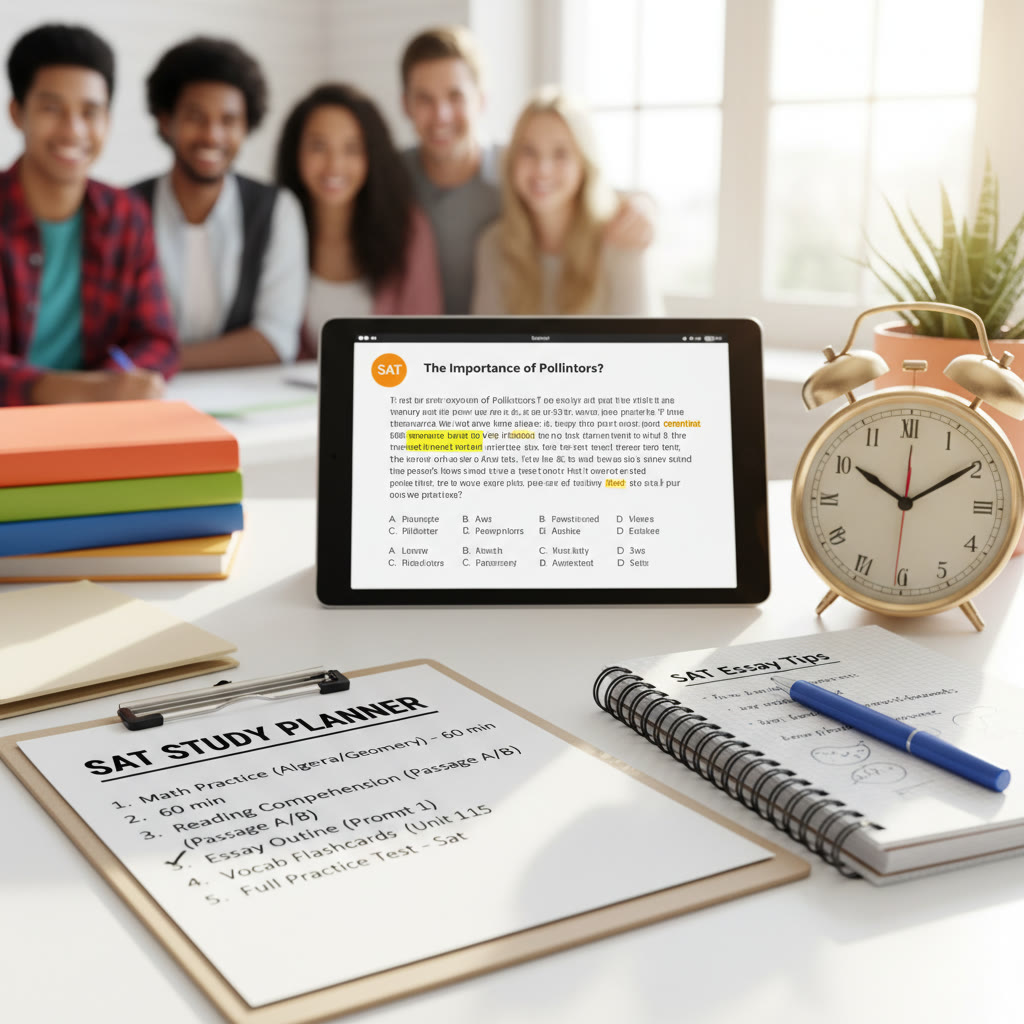
Remember: technology is a tool, not the goal. Use it deliberately, and pair it with offline reflection and human guidance when needed. If you ever feel stuck, a tailored plan and occasional 1-on-1 help can redirect your efforts quickly. A few smart tweaks to how you use screens could be the difference between a frustrating study season and one that actually boosts your score while keeping your life in balance.
Good luck — and may your focus be steady, your sleep be restful, and your practice be purposeful.



















No Comments
Leave a comment Cancel