
Why Digital Literacy Now Affects SAT Performance
If you grew up doing homework by hand, scribbling in margins and flipping through textbooks, the new reality of the SAT can feel like stepping into a different classroom. The test has shifted from a paper-centered ritual to one where digital navigation, reading on screens, and device-based strategies matter. That’s not just a technical change; it reshapes how you read, think, and show what you know under timed conditions.
What changed — and why it matters
The College Board transitioned the SAT toward a digital delivery model in recent years, meaning many students now take the test on a laptop or tablet. This is more than swapping paper for pixels. The format alters how questions are presented, how quickly you can move between items, and the cognitive load involved in processing information on a screen. In short, being fluent with devices is now part of being fluent with the SAT.
Quick snapshot: How digital affects concrete performance factors
- Visual layout and scanning: On-screen passages and problems are scanned differently by the eye than printed pages.
- Navigation and time management: Digital interfaces often change how you skip, flag, and return to items.
- Annotation and marking: Knowing how to highlight, annotate, or take digital notes can save time and reduce errors.
- Distraction management: Devices can introduce different distractions; practice helps minimize them.
- Tool familiarity: Digital calculators, answer selection, and adaptive question paths require hands-on familiarity.
Reading on screen versus reading on paper: the hidden skill
Reading on a screen is not the same cognitive exercise as reading on paper. Research and classroom experience show that many readers skim more, retain less, and lose track of structure when they read long passages online. For the SAT, where comprehension and close-reading are tested, that shift can cost time and accuracy.
Why screen reading reduces comprehension for some students
- Nonlinear scanning: On a screen, we jump around more. The brain toggles between searching for keywords and skimming for general sense. Without practice, this can miss key details.
- Reduced tactile cues: Paper gives physical landmarks (top-right of page, margin notes) that help memory. Screens flatten those cues unless you recreate them digitally.
- Blue-light fatigue and eye strain: Longer sessions on screens increase fatigue, which can shrink attention spans during long reading sections.
- Annotation habits: Students who annotate on paper must translate those habits to clicks or keystrokes for digital highlighting and notes.
Practical example
Imagine a 500-word science passage that hides a crucial contrast between two studies in paragraph four. On paper, you might underline that sentence and flip back to it easily. Digitally, if you skim without stopping to mark the contrast, you may answer incorrectly when a question asks which study supports a claim. Practicing digital annotation and creating a consistent process for marking paragraphs fixes this.
Navigation, timing, and the adaptive test experience
Many digital testing platforms use adaptive elements. That means the difficulty of later questions can change based on earlier answers. Adaptive formats change strategy: every answer does not merely contribute to a raw score, it shapes the path forward. Good digital literacy means you understand how to manage that path effectively.
Key navigation skills for digital SAT success
- Fast keyboard and mouse/tablet fluency: Speedy movement between questions and menus saves seconds that add up.
- Smart flagging: Use the platform’s flagging feature consistently so you can return to questions quickly.
- Answer confidence check: Build a habit—read, mark if unsure, move on. Don’t linger long on a tough item that could be skipped and reviewed later.
Real-world comparison
Think of digital SAT navigation like using a GPS while driving. You could check every junction in detail, but confident drivers glance, make decisions, and correct only when needed. That confidence grows through deliberate practice on the device itself.
Digital tools and test items: more than convenience
On a digital SAT, calculators, on-screen grids, and drag-and-drop or multiple-select interfaces replace some paper-based routines. That changes how you prepare. For instance, the on-screen calculator may behave differently from the physical model you’ve used in class. The ability to break down a complex geometry diagram into smaller pieces using digital zoom or pan can be an advantage if you know how to use those tools.
Examples of digital tool literacy you should master
- On-screen calculator habits: Practice entry methods, clearing entries, and using memory functions in the test interface rather than a separate calculator app.
- Annotation tools: Learn how to highlight, erase highlights, and add short notes in the interface to capture key ideas quickly.
- Equation entry and grid marks: Digital math responses sometimes require different entry patterns; practice to avoid formatting mistakes.
How distractions differ on digital devices — and how to control them
Ironically, the very device that hosts your test can bring its own cognitive interference. Notifications, the habit of task-switching, or the urge to check time on a device all act differently when the test is delivered digitally. The good news: these are behavioral skills you can train.
Practical strategies to minimize digital distractions
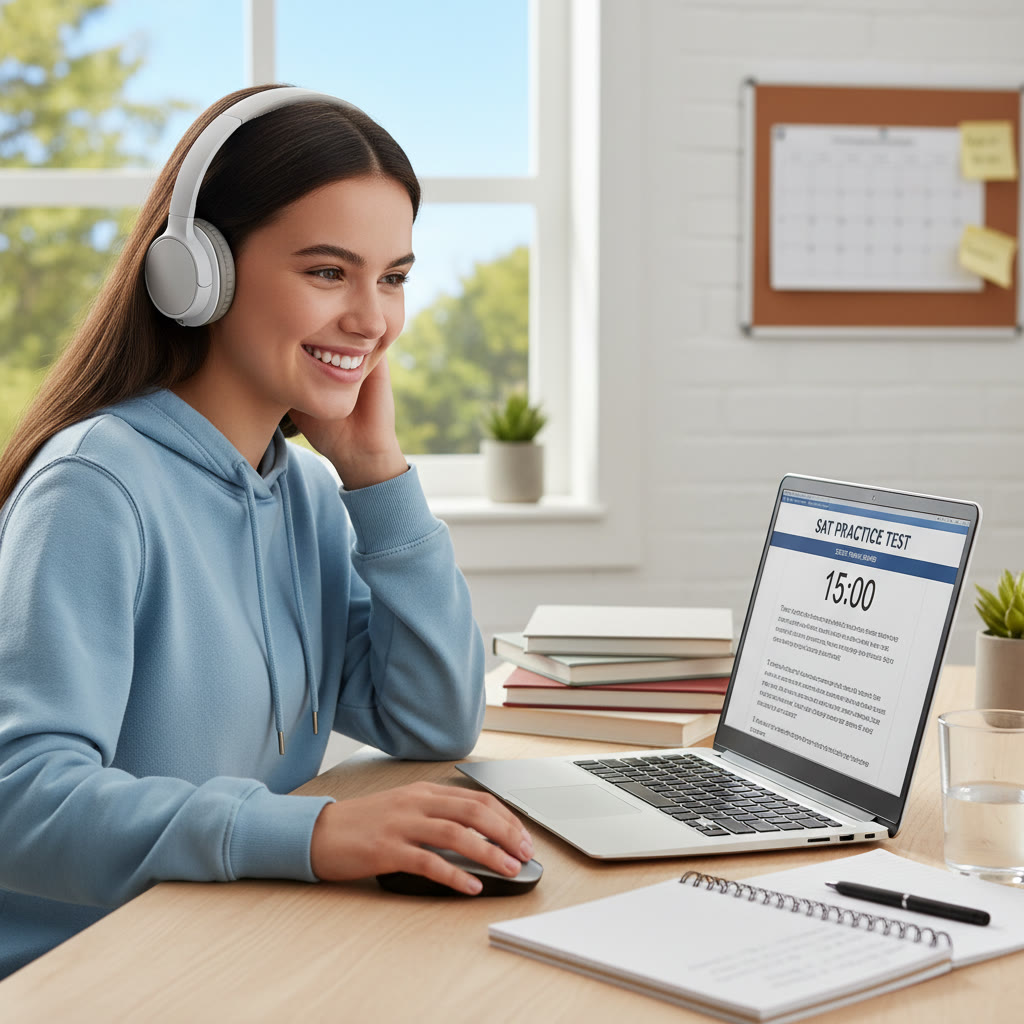
- Use the exact device and exam mode: Practicing in the test’s secure browser or simulation mode prevents surprises.
- Simulate test-day conditions: Sit in a quiet place, time sections, and avoid switching windows or apps.
- Build a pre-test ritual: Something simple like stretching, a two-minute breathing exercise, and checking battery/connection reduces anxiety-driven fidgeting.
Study habits that prepare you for digital SAT success
Old study rules still apply—practice, content mastery, and test strategy—but now you must layer on device skills. Here are study habits that map directly to performance gains.
Daily digital drills (practical routine)
- One timed reading passage on-device per day to build screen stamina.
- Short sessions practicing on-screen calculator use, focusing on entry speed and accuracy.
- Weekly full-length practice tests on the exact platform (or the closest simulation available) to rehearse navigation and endurance.
Annotation and note-taking routines
Develop a four-step annotation routine you use every passage: title the passage in your head, label paragraph function, highlight signal words, and jot a one-line summary per paragraph using the platform’s tool. Consistency frees cognitive bandwidth during questions.
Sample table: Digital skills, why they matter, and exercises
| Digital Skill | Why It Matters | Practice Exercise |
|---|---|---|
| On-screen annotation | Protects comprehension and speeds review | Mark four passages per week using only digital highlights and notes |
| Calculator fluency | Prevents careless entry errors and saves time | Time 10 multi-step problems using the on-screen calculator, focusing on error-free entries |
| Navigation & flagging | Helps prioritize high-value questions under time pressure | Simulate a section and practice flagging then revisiting flagged items within a 5-minute window |
| Digital stamina | Maintains focus and speed across long sessions | Build up to one full test day on-device with scheduled breaks |
How to measure progress: metrics that matter
Numbers give you honest feedback. But on a digital SAT, the metrics you track should include more than raw scores. Track these to see true improvement:
- Accuracy by question type (e.g., evidence-based reading vs. algebra) when practicing digitally.
- Average time per question and distribution (how much time spent on hard vs. easy items).
- Flag-to-correct ratio—how many flagged questions you returned to and then corrected.
- Stamina data: score drift across sections (if you score consistently lower in later sections, your stamina needs work).
Example progress check
If your early digital tests show strong accuracy but slow navigation, you might shave off 10–15 minutes with targeted navigation drills and gain those points back by answering more questions confidently. Conversely, if you move fast but accuracy drops, slow your baseline pace and work on precision first.
Mental skills and digital mindset
Technical fluency matters, but it’s nested inside mindset. A digital SAT requires calm, adaptability, and an experimental attitude. You will face questions presented in different ways than you expected. The students who succeed treat mistakes as data points to refine tactics—not as failures.
Mindset habits to build
- Curiosity: When a digital format frustrates you, ask why it’s hard and design a tiny experiment to fix it.
- Routine: Build pre-test and in-test habits so decisions are automatic under pressure.
- Reflection: After each practice session, note two things to change and two things to repeat.
How targeted tutoring can speed the learning curve
Learning device-specific habits while maintaining content mastery is a delicate balance. Personalized tutoring can accelerate that process because a coach sees which digital behaviors are holding a student back and designs practice to fix them. For example, a tutor can run a simulated test, pause to teach an annotation trick, and then track whether that trick improved accuracy later in the test.
Sparkl’s personalized tutoring focuses on that combination: 1-on-1 guidance to build subject mastery, tailored study plans that include device-ready drills, expert tutors who model digital test habits, and AI-driven insights to show where practice yields the biggest score gains. When digital skills are woven into content lessons, improvement happens faster than when device habits are left to chance.
Practice plan: 8-week checklist to become digitally ready
This practical plan assumes you already know content fundamentals. It focuses on converting that knowledge into digital performance.
- Weeks 1–2: Device familiarization — take short diagnostic sections on the official platform, learn all tool functions, and set up a distraction-free testing environment.
- Weeks 3–4: Targeted drills — daily reading-on-screen passages, calculator practice sessions, and flagging drills with timed reviews.
- Weeks 5–6: Full-length simulations — one full on-device practice test every 7–10 days; review navigation and stamina metrics.
- Weeks 7–8: Polishing — focused error correction, two full simulations with final review of time allocation and mental routines.
How to use tutoring during this plan
Bring practice data to each session. A tutor can analyze your error patterns and adapt the plan: more annotation drills if reading accuracy lags, or calculator work if math entry errors persist. Tailored plans are much more efficient than one-size-fits-all schedules.

Common myths and the reality
Many myths circulate about digital testing. Let’s debunk a few so you can focus on what works.
- Myth: Digital tests are easier because they are shorter. Reality: Shorter doesn’t mean easier—adaptive structure can concentrate difficulty, so pacing and accuracy matter more.
- Myth: If you’re good at using devices casually, you’re ready. Reality: Casual device use (social media, browsing) is different from focused, timed digital test use. Practice in the test environment is essential.
- Myth: Annotation tools make reading easier for everyone. Reality: Tools help only if you have a consistent method; otherwise highlighting can create false confidence without improved comprehension.
Closing thoughts: a balanced approach to content and device mastery
Digital literacy is now woven into SAT performance. The good news is that digital skills are teachable, measurable, and fast to improve with focused effort. Pairing content study with deliberate device practice turns a potential disadvantage into an edge.
If you want a roadmap that adapts to your strengths and gaps, a personalized coach can speed the journey. Tutors who understand both the content and the testing platform can show you precisely which small changes yield big score gains. For students ready to invest in tailored guidance, Sparkl’s personalized tutoring offers 1-on-1 coaching, tailored study plans, expert tutors, and AI-driven insights to pinpoint and fix the habits that hold scores back. That combination of human coaching and data clarity shortens the path from struggle to confidence.
Start by practicing on the device, track the right metrics, and build a simple annotation and navigation routine that becomes as automatic as solving a linear equation. With steady, deliberate practice, the screen will stop being a barrier and start being the place where you do your best work.
Final checklist before test day
- Practice at least two full-length tests on the exact or simulated platform.
- Confirm your pre-test device setup and test-day routine to minimize surprises.
- Review your flag-to-correct ratio and focus on the highest-yield adjustments.
- Keep a calm, consistent mindset—use the same breathing or focus routine you practiced.
The SAT now tests more than knowledge; it tests how you use tools to show that knowledge. Build those digital muscles alongside your content knowledge, and you’ll walk into test day ready to perform at your best.
















No Comments
Leave a comment Cancel