

Introduction: Why Prohibited Items Matter (And Why Myths Spread)
There’s something about big exams that turns little uncertainties into full-blown rumors. One casual conversation, a social post, or a well-meaning classmate can transform into an urban legend about what’s allowed on AP exam day. For students balancing coursework, extracurriculars, and college planning, these myths add unnecessary stress.
This blog unpacks the most persistent myths about prohibited items on AP exams and contrasts them with reality. We’ll explain the reasoning behind the rules, offer practical examples, and help you prepare so nothing surprises you at check-in. Along the way, you’ll also find how targeted support — such as Sparkl’s personalized tutoring with 1-on-1 guidance and tailored study plans — can make exam preparation feel less like scrambling and more like strategy.

How the Rules Work: Big Picture Guidance
College Board designs exam-day rules to protect test security, fairness, and accessibility. Whether an exam is digital or paper-based affects a lot of the specifics — for example, the role of a testing device or what sort of external hardware is permitted. It’s helpful to think of prohibited-item rules in three categories:
- Security and integrity: Items that could capture, transmit, or store exam content (phones, recording devices, smartwatches).
- Unfair advantage: Items that could provide additional information or tools (notes, formula sheets, unauthorized calculators).
- Testing logistics: Items that interfere with administration or create distractions (food, headphones, privacy screens unless approved).
Understanding the purpose behind the rules makes them easier to remember — and easier to follow without feeling like the policy is punitive.
Myth vs Reality: The Most Common Misconceptions
Below is a direct, practical look at widely held myths. Each myth is followed by the reality you need to know.
| Myth | Reality |
|---|---|
| “I can keep my phone in my pocket if it’s silent.” | All phones and wearable communication devices must be away and inaccessible during testing. Being silent doesn’t change the risk of capturing or accessing content; devices may be confiscated and scores canceled if used or even visible. |
| “Smartwatches are okay if I turn off notifications.” | Wearable tech is prohibited regardless of settings. Smartwatches can store or display data and are treated like phones. |
| “I can bring a bottle of water—just in case.” | Food and drink are generally not allowed inside the testing room. In many exams, you may step out during a scheduled break to eat or drink with proctor permission. |
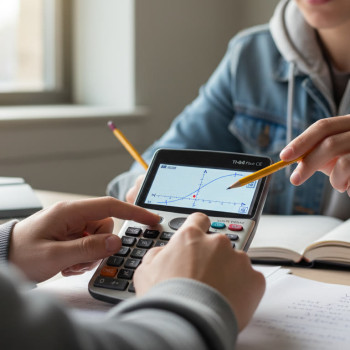
| “My calculator app is fine—my teacher taught me how to use it.” | Only approved physical or graphing calculators and approved calculator apps are permitted. Phones and unapproved apps are not allowed; check allowed models for specific exams. |
| “Headphones help me focus — I’ll use white noise.” | Earbuds, headphones, and ear plugs are generally prohibited because they could be used to receive information. If an accommodation is approved, exceptions can be made through proper channels. |
Why These Myths Persist
Often myths remain because exam policies evolve — especially with digital testing becoming more common — and because test centers can have slightly different operational practices. But when in doubt, follow the published exam-day rules and confirm with your school’s AP coordinator. If you need tailored clarification, organizations like Sparkl can help you interpret rules and craft a checklist so you know exactly what to take to the exam and what to leave at home.
Digital Exams vs Paper Exams: What Changes
As College Board has shifted many AP exams to digital formats, several questions have come up about devices and peripherals. Here’s a concise breakdown:
- Testing device: For digital exams, your testing device (laptop, tablet, or school-managed computer) is typically the only permitted electronics you may use. It must meet the device requirements and may require specific testing software.
- External keyboards and mice: External keyboards are required for certain tablet exams and not allowed for other configurations. External mice are often permitted.
- Power accessories: Power banks may be allowed but usually must remain visible and inspected by proctors.
Bottom line: digital testing brings clear allowances (the testing device) and clear prohibitions (any other electronic communication device). Always double-check the device rules for your specific exam format.
Practical Prep: What to Pack — and What to Leave
Preparing a short, practical checklist the night before can reduce morning anxiety and the risk of arriving with something that could disqualify you.
- Valid photo ID (if required by your test center) — keep it accessible in a separate folder or wallet, not inside a bag that will be inspected last minute.
- Approved testing device (if applicable) fully charged and with necessary software installed. Bring charging cords; leave power banks visible for inspection.
- No. 2 pencils and an approved eraser for paper exams. For digital exams, make sure your stylus (if allowed) is non-electronic.
- A light jacket (since testing rooms can be chilly) — avoid hoodies with writing across the front that could be interpreted as subject-related information.
- Leave phones, smartwatches, earbuds, food, notes, and books at home or locked in a car — not in your pockets. If your school provides a secure place for belongings, use it.
Sample Exam-Day Checklist
| Item | Bring/Leave | Why |
|---|---|---|
| Testing Device (digital) | Bring | Required for digital exams; must meet specs |
| Phone or Smartwatch | Leave | May record or transmit content; prohibited |
| No. 2 Pencils | Bring (paper) | Used for multiple-choice sections on paper exams |
| Snacks/Drinks | Leave (or step out during break) | Not permitted in the testing room |
| External Keyboard | Bring only if required | Required for fully digital tablet exams; check rules |
Accommodations: The Reality Behind Exceptions
One common source of confusion is how accommodations affect prohibited items. Students with documented needs may be approved to use assistive technology, specialized calculators, or other items that would otherwise be prohibited. The key points:
- Accommodations must be approved in advance by the testing board’s Services for Students with Disabilities (SSD) office.
- Approval is specific — it lists exactly what is allowed. You should carry proof or the SSD approval confirmation on the exam day when possible.
- If you think you might need an accommodation, start the request process early; it can take time to evaluate documentation.
Working with a tutor or counselor can make the accommodations process less intimidating. Sparkl’s personalized tutoring teams often help students gather documentation and craft test-day strategies that align with approved accommodations, making sure you get the support you need without last-minute surprises.
Real-World Scenarios and How to Handle Them
Let’s walk through a few realistic situations that students face.
Scenario 1: You Arrive with Your Phone in Your Backpack
Don’t panic — proctors are used to this. If your school has a secure storage area, a proctor will ask you to place belongings there. If a phone is seen or used during the exam, consequences can be severe (confiscation, score cancellation). The safest choice is to leave it at home or in a checked, sealed bag if available.
Scenario 2: Your Calculator Dies Mid-Exam (Paper Format)
For paper exams, bring fresh batteries and a backup approved calculator if allowed. If all approved calculators fail and you have no replacement, notify the proctor immediately — they will provide instructions. Practice under timed conditions before exam day helps you avoid such shocks.
Scenario 3: You Need Noise Reduction Because the Room Is Loud
Headphones and earplugs are usually prohibited. If you require noise reduction for a documented condition, arrange an SSD accommodation before exam day. If you realize noise is a problem during testing, alert the proctor politely — they may be able to move you or address the source of the noise.
Why Rules Can Be Strict — and Why That’s Good
No one likes being told not to bring things, but strict rules maintain equity: every student should face the same assessment environment. Consider the potential for abuse: a phone could photograph test pages; a smartwatch could hold notes; a shared power bank could be passed with unauthorized materials. Strict rules minimize these risks and keep the focus on what matters — your knowledge and skills.
Study Smart: How Preparation Reduces Exam-Day Mistakes
Preparation is not just memorizing content. It’s rehearsal of the process: what to pack, how to get to the testing center, and how to handle potential mishaps. Here are practical strategies:
- Do a dry run: pack your bag the night before and step through the checklist. This builds muscle memory.
- Confirm your testing location and arrival time at least two days before the exam.
- Practice with the exact tools you’ll use — if your exam is digital, complete a practice run on your testing device so you’re comfortable with the interface.
- Have pre-approved accommodations documented and bring any required documentation or confirmation numbers to the exam center when appropriate.
If this feels overwhelming — especially balancing multiple APs — 1-on-1 guidance can help. Sparkl’s personalized tutoring provides tailored study plans that include exam-day logistics coaching in addition to content review, so you don’t have to guess what to bring.
Final Checklist: Last-Minute Reminders
- Read the official exam terms and conditions for your specific AP exam format several days before testing.
- Check whether your exam is digital, hybrid, or paper-based — the allowed items differ.
- Confirm any external device rules (keyboards, mice) for digital exams.
- Pack your bag early: ID, approved device and charger if needed, No. 2 pencils for paper tests, and a light jacket; leave prohibited items at home.
- If you have questions about allowed items or accommodations, contact your AP coordinator at school promptly.

Wrapping Up: Confidence Is the Best Item to Bring
Prohibited-item rules can feel like another hoop to jump through. But once you understand the rationale and rehearse the logistics, those rules become a small part of a much larger preparation plan. The payoff is calmness on exam day: fewer surprises, clearer focus, and the ability to showcase what you know.
If you want focused help — from content review to a personalized exam-day checklist and even SSD navigation — consider specialized tutoring. Sparkl’s personalized tutoring pairs expert tutors with students to craft tailored study plans, simulate realistic testing conditions, and provide AI-driven insights that identify where practice will yield the biggest gains. That combination of strategy and support often converts nervous pacing into steady confidence.
Parting Advice
Be proactive. Read the official exam terms for your specific AP, prepare a tested checklist the night before, and practice under realistic conditions. With a calm plan, a packed bag, and a clear head, you’ll be ready for whatever the exam throws at you — without bringing anything you shouldn’t.
Need Help Building a Personalized Plan?
Preparation is easier when it’s not done alone. A tutor can help you simulate exam conditions, create a day-of checklist tailored to your exam format, and walk you through accommodation requests if needed. Small, strategic investments in planning often produce large improvements in confidence and scores.
Good luck — you’ve got this.


























No Comments
Leave a comment Cancel